Script help...delete two directories under users\<name>\appdata

YeOldeStonecat

Well-Known Member
Reaction score
6,965
Location
Englewood Florida
I'm not a scripter...can find an old way via batch files but I'd love to tackle this via a more modern method.

A client has a cranky Progress database app which frequently needs to have 2x directories under \AppData deleted whenever the desktop client starts acting ornery.

Quite a few computers have multiple users throughout the day.

I'd love to push out a GPO to run this auto cleanup at each login.

C:\Users\<username>\Appdata\IsolatedStorage
C:\Users\<username>\Appdata\Solutions

Can whack the whole folder...or..just the contents under it...doesn't matter.
 
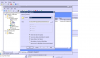
Computer Configuration->Preferences->Windows Settings->Folders Right-click on Folders and select new folder. You can set the action to Delete then specify the delete type below such as Delete the folder, or contents, etc.
 
Just a thought, I know you don't use Solarwinds RMM like I do, but does your rmm have a builtin/provided script for deleting folders that could be executed after checking the system event log for successful logon?
 
Without testing it... something like this should work in powershell: I can write and test tomorrow.

Code:
$UserProfiles = GWmi Win32_UserProfile -filter "LocalPath Like '%\\Users\\%'" | Select-Object -ExpandProperty LocalPath

ForEach ($Profile in $UserProfiles) {
    Remove-Item -path "$Profile\AppData\IsolatedStorage" -recurse 

Remove-Item -path "$Profile\AppData\Solutions" -recurse 
}


Sent from my iPhone using Tapatalk
 
Just a thought, I know you don't use Solarwinds RMM like I do, but does your rmm have a builtin/provided script for deleting folders that could be executed after checking the system event log for successful logon?

We're about 10 years into our N-Central server....but I figure the time to deploy a local script...vs pushing out via agent..may as well just keep it local to the client.
 
Computer Configuration->Preferences->Windows Settings->Folders Right-click on Folders and select new folder. You can set the action to Delete then specify the delete type below such as Delete the folder, or contents, etc.

Using that for "delete" completely escaped my mind..thanks!
Playing around with it now...my issue is how to have it recognize that under any user that logs in.
Right now trying %localappdata%\isolatedstorage for example and it's not deleting.
 
%userprofile%\appdata\local\ <folder names> isn't working either.
gpresult /r shows group policy being applied to the workstation I'm testing on...just, not deleting what I stuck inside those folders (just some text files I made on this test rig I'm remoted into)
 
GPO is hitting workstation, just not whacking those folders inside appdata\local. I made a C:\Test folder and stuck a text file in it, added a DELETE rule to the GPO for C:\Test...soon as I type GPUpdate /Force on the workstation that test folder and contents disappears....so the GPO is hitting the workstation. Just...the path isn't being received or understood for those appdata sub folders.
 
Had to back up and punt for now...went old school and appended their login scripts ...
Echo y | del %homepath%\AppData\Local\IsolatedStorage\*
Echo y | del %homepath%\AppData\Local\Solutions\*

Still would love to find out why the GPO wasn't liking the environmental path.
 
Use WinRAR. I know, its cheesy. But if you right click on the folder then choose Add to Archive and when the box pops up check Delete files after archiving, it will "zip" it up and remove the folder. Then you can simply delete the rar archive. OR, use Take Ownership
 
Had to back up and punt for now...went old school and appended their login scripts ...
Echo y | del %homepath%\AppData\Local\IsolatedStorage\*
Echo y | del %homepath%\AppData\Local\Solutions\*

Still would love to find out why the GPO wasn't liking the environmental path.
I wonder if it would make a difference if you used the "User Configuration" since you want to do it per user rather than "Computer Configuration"? I've never needed to do this so haven't tested.
 
Back
Top