nlinecomputers
Well-Known Member
- Reaction score
- 8,609
- Location
- Midland TX
Beat me to it.
MS dont give you the key - is digital license.
Potato, potatoh. There is an actual key to complete the initial upgrade and the final product of doing same is the digital license.
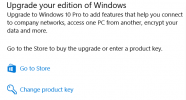
Though I have no doubt there are probably ways MS does this that don't involve you hand entering a key, I've not used them. All the upgrades I've done have been via the Activation pane, Change product key link, which does prompt you for the good, old-fashioned MS product key. After the process completes, if a Microsoft Account is in use, the digital license will be stored in that account as well as linked to the hardware.

When you upgrade via the Microsoft Store there is no key.
If you read the link @mikeroq posted it tells you what to do. It should install as home and then upgrade to pro after it gets online. If it fails to do so you can run the activation troubleshooter.The reason I'd prefer a key is because a clean install might read the embedded BIOS key for Home edition and use that, then the upgrade would need to be done again somehow. I haven't done Pro upgrades with a keyless online purchase before so I'm not sure how the reinstall works.
I think @frase did a clean install so maybe this can be cleared up?
[Channel]
_Default
[VL]
0