Humor Section!

The only added question is how much will anyone outside your company see this pattern to really pick up on it? I would possibly say something if it is going to be noticeable to clients but internal I would let it be.

Who knows. Many years ago I created a guest VLAN on our network.....it's 192.168.69.0/24. Still in use at our main office to this day! I've done it at a few clients too. A little chuckle....sure!
 
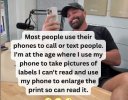
I don't remember exactly what year, but when I saw how handy it was to take a picture of the router label in a difficult low light situation... well I was hooked!
Same here. I have a magnifying glass with a light in it clipped to my desk but it doesn't work as well as the camera does, not even close.
 
I saw how handy it was to take a picture of the router label in a difficult low light situation...

Not to mention when the label is upside down on the back of a 60# UPS under a tangle of wires! ....or light grey text on a white background that's partially scraped away! ...or....ok, I'll quit now before this turns into a "Get off my lawn!" rant - haha.
 
Side note on the need for magnification (which has little to do with age for a lot of this stuff, I know "youngsters" who can't read the ultra-fine print on some fo this stuff), if you're an Android user and always have your smartphone on you, the Smart Tools Smart Magnifier app can prove to be a real godsend. I don't know if an iOS port exists or not.
 
Side note on the need for magnification (which has little to do with age for a lot of this stuff, I know "youngsters" who can't read the ultra-fine print on some fo this stuff), if you're an Android user and always have your smartphone on you, the Smart Tools Smart Magnifier app can prove to be a real godsend. I don't know if an iOS port exists or not.
Samsung has a built in magnifier within the OS, no need for an app install.

Found within -

Settings
Accessibility
Vision Enhancements
Magnifier

Then set the button combo to activate it when needed, I use VOL_UP/DOWN
 
@frase,

I think we may be talking two different types of Magnification. I have that in my device's settings, too, in an ever-so-slightly different location, but it only allows you to magnify on-screen content. That's not what I'm referring to.

The app I mention is a digital magnifying glass where you point the camera at something and it's shown, magnified, on your screen.

If Samsung does that with the setting you refer to, then it's different than other Android devices (which isn't surprising, as Samsung has often "done its own thing").
 
Two women were chatting in the office like this…

"My evening went pretty well yesterday," said the first.

"How was yours?"

"Terrible," replied the second. "My husband came home, ate dinner in three minutes, and went straight to sleep. What about you?"

The first woman said, "Amazing! My husband came home, took me out for dinner, and afterward, we went for a long walk. When we got back, we lit up the whole house with candles. It all felt like a dream!"

Meanwhile, their husbands were talking to each other in the office.

Husband No. 1 asked Husband No. 2, "How was your evening?"

Husband No. 2: "Really good, man! I got home, the food was already on the table, I ate, and went to sleep. How about you?"

Husband No. 1: "It was awful, bro! I got home, and there was no food cooked because I hadn’t paid the electricity bill, so the power was cut off. Then I had to take my wife out to eat. The restaurant bill was so high that we didn’t even have money left for a ride back. We had to walk for hours to get home. When we finally got there, the whole house was pitch dark, so we had to light candles for some brightness!!"

Moral:

"No matter what the reality is, the way you present it should be top-notch."
 
Back
Top