How do I change this Group Policy

stick1977

Member
Reaction score
0
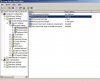
server 2003, please see screen shot. I want to disable all these settings per the company owner's request. I can change the "Enforce password history" but the other 5 are greyed out. They want to be able to have short passwords, no maximum password age, etc.

The answer I found in search was: All password policies are to be done on the Domain Security Policy and they are domain wide changes. You cannot exclude an OU, for example, from password enforcement policies.

However this only says why it can't be done from here, doesn't show how to do it. For the time being I just ticked the check box in the AD accts for "password never expires" but real curious on how to change these settings.

thanks
 

Attachments

  • GP password security settings.jpg
    GP password security settings.jpg
    66.1 KB · Views: 140
Perhaps another policy is in force and you need to clear all other policies first.
Maybe use something like D7 to remove policies.
 
server 2003, please see screen shot. I want to disable all these settings per the company owner's request. I can change the "Enforce password history" but the other 5 are greyed out. They want to be able to have short passwords, no maximum password age, etc.

The answer I found in search was: All password policies are to be done on the Domain Security Policy and they are domain wide changes. You cannot exclude an OU, for example, from password enforcement policies.

However this only says why it can't be done from here, doesn't show how to do it. For the time being I just ticked the check box in the AD accts for "password never expires" but real curious on how to change these settings.

thanks

So is that a shot of the Default Domain Policy?
 
Is this computer in a domain? If it's in a domain that setting is stored in the Domain Policy. If it's a domain server changing these settings disabled is unadvisable, but if you wanted to you can just change the password flag to Password Never Expires for the specific user and then the rules defined in the local policy will not take effect.

It really isn't recommended to disable this as it's important from a security perspective to change passwords every so often.

It's also not a great idea to enable password never expires. For small businesses it's best to have users change there password at least 1 a year or even better every 180 days. I know it's tough with some of the users but it's better than never changing a password.
 
To modify the Default Domain Policy you need to install a tool called "GPMC". Here is a link that explains the install. http://technet.microsoft.com/en-us/library/cc725932.aspx

You want the modify this setting from the machine with the most recent OS. If you have a 2008r2 server and xp clients you want to modify the policy on the 2008r2 server. If you have win 7 clients and a 2003 server you should modify the policy on the win7 machine.

In most case it should be fine to use the server to modify using gpmc but there are certain times you have to use the most recent version of a windows OS to modify a policy.
 
Thank you all for the replies. Yes, this is the domain controller. I used gpedit.msc to launch this. Am I in the wrong place? Do I need to find and launch domain policy object editor instead of group policy object editor?

Thanks for the link Michael but this is a 2003 server. I would tend to think that everything I need is already installed since it seems that someone made this configuration but I don't know, maybe it isn't installed and these are the default settings.
 
Even if it's windows 2003 you need to install GPMC to modify this policy. here is the link -> http://www.microsoft.com/en-us/download/details.aspx?id=21895. It's not installed by default and the settings you are seeing are the default settings for the Domain Policy.

If you need any assistance once you have it install let me know.

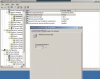
All set Michael. I did the install and I'm now able to make changes to all these password policies whereas before I was only able to change "Enforce password history". thanks!
 

Attachments

  • GPOs now editable.jpg
    GPOs now editable.jpg
    56.5 KB · Views: 33
Back
Top