Hard Disk Health Monitoring Tool for MSPs with alerting?

drjones

Well-Known Member
Reaction score
28
I've had it.....I just logged into a workstation to fix a failed GFI / Bitdefender install, ran D7, one of the first tools that I have set to run is CrystalDisk Info; it shows Reallocated Sectors on this PC.

Yesterday, I ran D7 / Crystal Disk on a different client machine, and it showed Current Pending Errors....GFI's check didn't catch ANYTHING wrong on either of the workstations!!!

I have / have had hundreds, probably close to 1,000 workstations on GFI, disk health check is ALWAYS enabled, it's only ever caught *maybe* 2 or 3 bad disks.

Clearly the check is useless...what is a good disk health check tool with alerting / monitoring features, that actually works??

I'd love to use CrystalDisk but it doesn't seem possible to customize the alerts to designate which PC it's coming from; you have to select a "to" and "from" email address, and that's all.... I could set it to write to the windows event log, then have GFI check for that, but that's a lot of work....

Would be great if I could somehow deploy it via GFI......

Thanks!
 
Are you monitoring windows event ID's 7, 11, and might be a few others in there? Thats typically the most of what we monitor for PC's. It catches drives with bad blocks and controller errors. Once windows starts seeing the bad blocks its time for it to go. Servers on the other hand, that's a different story.
 
Nope, I didn't think to do that....How would I configure in GFI?
Which event log do I have it check; system or hardware?

Thanks
 
I want to say its System, and the source is Disk, but i dont have the exact info in front of me. I cant help you with GFI... We use Kaseya but I would assume its similar. There should be a way to create a monitoring set for windows event log where you specify the specific log, ie Application, System, etc. In this case its System I believe. The source which would be Disk and then the ID number. Then you attach it to your existing machines or your machine templates.

this also might help get you started:
http://community.spiceworks.com/windows_event/source/Disk
 
I'm taking a look at the logs on one of the machines in question & do not see any errors relating to the hard disk or controller at all.....
 
I guess I cant really comment based on the report of the CrystalDisk software you used as Im not familiar with it. If we do lower level HD read scans we look for unreadable sectors/bad blocks or worse. I dont know what "Current Pending Errors" means with that software. Typically if our scan shows many unreadable sectors, if we check our event logs we do see at some point in time windows reporting Disk ID 7's. But if you only have 1 or 2 unreadable sectors, its possible windows hasn't run into it yet to report it.

I have scanned drives that have had reported small amounts like 1-5 unreadable sectors but the end user has never had any issue the life of the PC. Sometimes it depends where they are located on the disk and if its interfering with any data. For RMM with end user PC's we just go by what the event log tells us, it complies with our SLA in that perspective and so far has worked well for us in catching disks before they have completely failed the user.
 
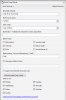
There are a few ways you could set up these checks but we look for "Disk", "ATAPI" and "ntfs" errors that can pop up in the event log. Super easy to set up. We have a custom template that includes these standard. The attached pic is for Disk which is the most important but can sometimes throw ATAPI errors instead. We still like to check for ntfs errors that indicate hard restarts (usually)

EDIT: These checks have saved our butts multiple times just this last month. One new client last week instantly popped up Disk errors on 5 machines in their office. Replaced all with SSD's. We would have never know and they would have gone through some serious downtime had these checks not been in-place.
 

Attachments

  • Untitled.png
    Untitled.png
    26 KB · Views: 28
Back
Top