

britechguy
Well-Known Member
- Reaction score
- 5,185
- Location
- Staunton, VA
Fabs Restore Question . . .
First, I'll admit I'm being lazy before digging in to documentation.
Yesterday I did a restore on to a machine that I thought I'd unlinked from OneDrive before having done so; I hadn't. When I unlinked it this morning some files had become "cloud only" so those are lost (kinda-sorta) if one does not want to use OneDrive, and this client doesn't.
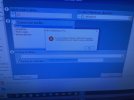
Now that I have unlinked the device from OneDrive, is it possible to re-run a Fabs restore and have it gracefully ignore any files already present and just restore any that are no longer present locally?
I also backed things up by hand, too, so if push comes to shove I can use a straight Windows copy command, but if Fabs can be told to gracefully handle this situation where it would skip anything already present, I'd rather do that.
First, I'll admit I'm being lazy before digging in to documentation.
Yesterday I did a restore on to a machine that I thought I'd unlinked from OneDrive before having done so; I hadn't. When I unlinked it this morning some files had become "cloud only" so those are lost (kinda-sorta) if one does not want to use OneDrive, and this client doesn't.
Now that I have unlinked the device from OneDrive, is it possible to re-run a Fabs restore and have it gracefully ignore any files already present and just restore any that are no longer present locally?
I also backed things up by hand, too, so if push comes to shove I can use a straight Windows copy command, but if Fabs can be told to gracefully handle this situation where it would skip anything already present, I'd rather do that.




 .
.


