Porthos
Well-Known Member
- Reaction score
- 14,300
- Location
- San Antonio Tx
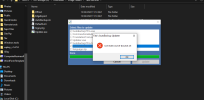
I'm looking at this right nowNow it goes thru the motions and then this.
View attachment 14350
Sorry but I could not reproduce the problem on my end. I have no idea what's causing this. Perhaps I should rewrite the updater from scratch.I'm looking at this right now
I totally agree with @nlinecomputers. Yes, Home & Office version can do the job but it is less handy for that as it's not portable and has to be installed on each machine. Pro is portable and can be used on as much computers as you want.Over the years of reading about Fabs AutoBackup I've thought, "That's a great tool, but it's not something I often have the need for given what I typically do." While that remains the case, overall, I have a new client where I will be acquiring 4 new machines and where I would love to have the ability to just transfer, wholesale, all of the user data and settings from each to its replacement. I believe there are only single user logins on each of these machines, which I have to verify, so multi-profile capability is not likely needed.
I've taken a look at the Fabs AutoBackup webpages and, in this situation, I believe that Fabs AutoBackup Home & Office would suit my purposes, but it's not clear to me whether it is licensed for any commercial use or not. If not, then I would have to purchase Pro. I don't want to violate license terms, so I thought I'd ask here, since the developer is a regular and there are many regulars here who already use Fabs AutoBackup and have for years.

I totally agree with @nlinecomputers. Yes, Home & Office version can do the job but it is less handy for that as it's not portable and has to be installed on each machine. Pro is portable and can be used on as much computers as you want.
Just the "Pro is a portable program" factor is enough for me in this case.
Since most of the work I do is for residential clients who have (generally) minimal data as far as storage locations go, and most these days are using browser sync features for their settings, it's generally easy enough to set up someone on new hardware by hand.
That will not be the case for this new client, so I'm following my own advice of finding the correct tool for the task, and Fabs appears to be it. I've already downloaded the trial version to play with so I have some familiarity before snagging the real version for use in the field.
Just keep the program's folder and its content and you'll be fineI've purchased Fabs AutoBackup Pro, and have activated the trial version I downloaded with the order reference number and email address used without a hitch.
Since this is a portable program, I am presuming that if I copy the activated copy on my computer's main drive to any other media, that the activation comes right along with the copy. Is this presumption correct, or will I need to keep a small text file with the order reference number with me to reactivate it when using it on other machines in the field?
(@fabs in particular, but anyone who knows feel free to answer)
The transfer feature is designed for that purpose so yes, you're right.OK, now the second "beginner's question." Were I dealing with two fully intact computers where I was trying to move content from one to the other the way I'd think I'd do it is backup on the source machine then restore on the target one. But my first case is going to be dealing with the AIO I posted pictures of, that's dead as a doornail, and where I'm going to have to extract the system drive from it to do anything. So, in that scenario, it seems to me that connecting it as an external drive on the target machine, then using the Transfer function would be the way to go. Am I missing something?
@nlinecomputers and @fabs: I have kept the entire folder, which started out life as the trial version, intact. I activated the program there and then moved it (on my source machine off of the root of C: to elsewhere) then proceeded to copy that folder lock, stock, and barrel to two different USB thumb drives. If I'm reading what you're saying correctly, it's possible that over time Fabs may fetch the various NirSoft or other utilities on an "as needed" basis and, if that occurs, I should really then copy the "updated" folder back to wherever else I might be carrying or storing it. Would that be correct?
Are there any simple ways to prevent this that don't involve digging into the AV program and excluding things, or just turning off AV while running them?
Fabs used to add exclusions to Defender. If using a 3rd party AV you have to do the exclusions/disabling yourself.One problem I keep running into is the Nirsoft programs getting nuked by the AV. Are there any simple ways to prevent this that don't involve digging into the AV program and excluding things, or just turning off AV while running them?