Encrypted failed catalina upgrade, icloud can't recover the volume?

SSD or spindle it doesn't matter when you're working on stuff and need more room. At this point you just want to get his data and, in my opinion, start with a clean install.
 
SSD or spindle it doesn't matter when you're working on stuff and need more room. At this point you just want to get his data and, in my opinion, start with a clean install.
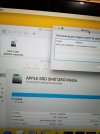
Yeah it looks like I will have to start with a clean install, I had disk utility from my usb tool make a image of the drive but it won't open, running disk drill now to try and recover data 20210212_194242.jpg
 
Yeah it looks like I will have to start with a clean install, I had disk utility from my usb tool make a image of the drive but it won't open, running disk drill now to try and recover data View attachment 12485
Unless you've unlocked FV you'll get nothing. On a side note I've never understood why anyone would go with a 128gb boot drive on any computer. Well, other than a Chromebook.
 
Unless you've unlocked FV you'll get nothing. On a side note I've never understood why anyone would go with a 128gb boot drive on any computer. Well, other than a Chromebook.

it’s cheaper…. People are cheap until they see the mistake they’ve made
 
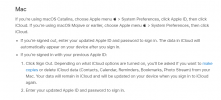
Are you sure the SSD is removable? Many late model Macbooks don't have removable SSDs as it's just a chip on the motherboard. I just ran across this and my guess is the customer originally set up his macbook with different credentials. Changed his iCloud credentials and didn't update the account settings on his Macbook. The FV unlocked after login because it used the FV stored password in the keychain. This allowed the Macbook to function with a different login password and FV password UNTIL we needed to get the volume unlocked without keychain access! Then the original password is needed and if the customer doesn't recall it, the FV volume is toast. Going through the reset password using iCloud is moot because it will just return a message that iCloud was unable to unlock the volume.


It's 2021, MacOS should inspect the volumes and make darn sure there is enough space before proceeding with updates. It's insane, the OS will initiate and begin it update without enough available space in 2021. Shame on Apple.

1613828224649.png

Like Macbook users ever follow instructions - LOL
 
Last edited:
Are you sure the SSD is removable? Many late model Macbooks don't have removable SSDs as it's just a chip on the motherboard. I just ran across this and my guess is the customer set up his macbook with different credentials. Changed his iCloud credentials and didn't update the account settings on his Macbook. The FV unlocked after login because it used the FV stored password in the keychain. This allowed the Macbook to function with a different login password and FV password UNTIL we needed to get the volume unlocked without keychain access! Then the original password is needed and if the customer doesn't recall it, the FV volume is toast. Going through the reset password using iCloud is moot because it will just return a message that iCloud was unable to unlock the volume.
Its a old 2015 model, has a removable sdd. He called to inform me he thought his Applie ID had been hacked so he changed it. I already imaged the drive and was able to recover his data, so I think Ill be ok installing the new sdd whenever it arrives in the post.
 
Its a old 2015 model, has a removable sdd. He called to inform me he thought his Applie ID had been hacked so he changed it. I already imaged the drive and was able to recover his data, so I think Ill be ok installing the new sdd whenever it arrives in the post.
Perfect, he got lucky. I've done two this week, A1708 models, that weren't so lucky.
 
Back
Top