Whats up guys! Well I have an old gateway laptop with XP Home on it. The thing won't turn on. It was working fine I did a clean re-install on it and a few weeks later the customer can't turn it on. He said it was completely froze up and could do nothing so he unplugged it and reset it and then had NOTHING! lol. Well when I plug the power chord in, there are lights on the front that say its charging and stuff but when I press the little power button it does nothing. The power button feels kind of funny to me too! Is there any key prompts that can make these things boot up instead of hitting the power?? I know some laptops will go into sleep mode with a key prompt. Ive never had to take a laptop apart so that would be new for me. Thanks for your knowledge guys this forum is the best for that!

You are using an out of date browser. It may not display this or other websites correctly.
You should upgrade or use an alternative browser.
You should upgrade or use an alternative browser.
troubles powering up an older gateway Laptop
- Thread starter texastone
- Start date

arrow_runner
Member
- Reaction score
- 0
- Location
- Cincinnati, OH
Some gateway models have crappy power buttons indeed. The plastic breaks off and you can no longer get a connection made. Pull the plastic trim w/ the button off and see if you can get it to power on with the actual button on the board.
If it works, your 3 options are
If it works, your 3 options are
- Replace the plastic pieces
- Leave that piece off....
- Cut a hole in the plastic so they can access the button.
yeah arrow I think your right from the way that this little round button feels it just doesn't feel right. I am a little intimidated by this thing because I removed all the screws from the back and it doesn't seem to want to pull apart very badly especially around the back and the center of the front. I will look and see about the power button area and see what I can do there I just don't want to muck it up any worse then it is! lol.

onetech4all
Member
- Reaction score
- 7
- Location
- California
Re:
What model is still laptop?
What model is still laptop?
arrow_runner
Member
- Reaction score
- 0
- Location
- Cincinnati, OH
There are screws on the underside that go into that plastic cover, if I recall correctly. They're about an inch long?
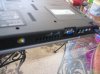
hey guys yeah I took all of the screws out of the bottom side. Got the screws that were underneath the battery ect. Its a 7405GX. The back where the power plugs in, s-video jack, ect, will not budge at all. The middle section along the front wont come apart either. The sides will bend apart but obviously I don't want to go crazy here. SO yeah thats where im at. Here are some photos of this little beast!
Attachments
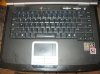
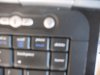
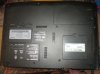
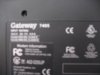
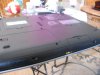
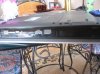
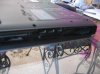
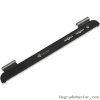
okay I found a picture of a replacement Keyboard Cover & Power Button for this gateway. I still just can't quite figure out how it comes apart like this though! lol. It looks like you have to screw with the screen attatchments there and stuff. not sure I suck!
I suck!Attachments
arrow_runner
Member
- Reaction score
- 0
- Location
- Cincinnati, OH
That's the model I was talking about. I think you missed a screw on the underside. It wouldn't hurt to take out more than you need. Also, there may be screws on the backside of the hinges. That plastic piece snaps on/off, so you will need to give it a little bit of 'umph' to get the first snap up. If there's not a notch for a screwdriver to pry under, I usually try pulling up from the hinge covers. Just be careful with them.
okay you were right it was all in the hinge covers!! lol. Took two little screw drivers and pried on them and got them up. The cover is off now and it appears there are 4 little screws on the underneath side of this cover that hold another cover underneath powerbutton area. I assum I need to take this cover off and see whats underneath??
arrow_runner
Member
- Reaction score
- 0
- Location
- Cincinnati, OH
Sounds like it .
okay guys great news I took the board off of the other side of the cover that was held on by 3 little screws. Tiny little push button on the board, I pressed it, and it powered right up! Thank you so much for your help!! You guys are the best especially you Arrow!! Anyway The power button looks okay from the bottom. Guess I could try putting it back together and see if I get lucky but yeah your probably right just cut out a hole that they can access it using a pen or something. Its kind of sloppy sure but a new one costs 150$!! A laptop that old you would be better off getting a new one probably that is just bare minumum, no CD rom ect for 300 that has windows 7 2gb memory with a dual processor ect. anyway ill let you know how I come out on it and what I do but thank you soooo so much for your help I couldn't have done it without you!!
arrow_runner
Member
- Reaction score
- 0
- Location
- Cincinnati, OH
I used a dremel to cut the hole the one time I did it. You can find those buttons on ebay. If you can't, PM me and I'll see if I have a spare to sell.
yeah I just popped out the power button, and used a pair of wire cutters to cut a little slot towards the bottom right of it. Made it easy to access that tiny little button and after doing the typical XP speed up tricks, that laptop is running like a champ! Lightning fast!! lol. They are pleased and its all good with them too. Thanks for your help though man you are too kind arrow!! We need many more of you in this world!!
Similar threads

- Replies
- 6
- Views
- 2K

- Replies
- 10
- Views
- 4K

- Replies
- 12
- Views
- 2K


