
Possible ransomware ruined computer?

lan101

Well-Known Member
Reaction score
738
Got a client computer that got hit with a ransomeware that encrypted all files. Not worried about that part of it really...mostly everything is safe...but here's my issue now.

**It's a Dell Pro Slim QCS1250 model brand new in October 2025.

Wiped the drive just using a standard windows 11 usb installer. Wiped all partitions. It seemed to run through the install fine but after the reboot it just came up no bootable device found. Now it doesn't matter what I choose it's no bootable device found. Even just trying to boot to the windows installer flash drive same thing again.

I tried another flash drive just to see if I can boot and no difference. I've reset bios to factory defaults and bios defaults...not sure if there's much of a difference there but the same results.

Is it possible the malware nuked something unknown to me? I have not tried a new nvme or anything yet...I figured if I can't even boot to usb then no point in that.
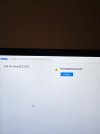
 

Attachments

  • 20260702_193953.jpg
    20260702_193953.jpg
    812.4 KB · Views: 4
All the boot devices show up or by just hitting F12 in the beginning. All looks normal. Shows the Micron 512gb drive, windows boot manager, UEFI Sandisk flash drive etc...but yeah all the same result on it so far.
 
All the boot devices show up or by just hitting F12 in the beginning. All looks normal. Shows the Micron 512gb drive, windows boot manager, UEFI Sandisk flash drive etc...but yeah all the same result on it so far.

Go in the BIOS and clean up / delete all the boot options and then reinstall again.
 
Go in the BIOS and clean up / delete all the boot options and then reinstall again.

Awesome that seems to have done it at least to boot from usb now again. Thank you. Appreciate it. I will report back a little later to update if windows 11 is good after. I even went right by the boot configuration a little bit ago and thought about deleting but just didn't try it lol. I guess I've never really had to and just figured it was something else. Thanks for the suggestion.
 
We seem to be back in working order for now. Thank you again. @thecomputerguy

I've recommended they change passwords to their main accounts etc. already as a precaution. These newer ransomware's claim they actually steal files and it's uploaded to their servers. I mean nothing can really be done about it if it's true but just was wondering if anyone has scam attempts after the fact. I mean if they got documents they will definitely have the place of business and their info and I'm sure some sensitive client info to a degree too. This is the first time I've dealt with one of these ransomware encryptions in probably 2 or 3 years I'd say.
 
We seem to be back in working order for now. Thank you again. @thecomputerguy

I've recommended they change passwords to their main accounts etc. already as a precaution. These newer ransomware's claim they actually steal files and it's uploaded to their servers. I mean nothing can really be done about it if it's true but just was wondering if anyone has scam attempts after the fact. I mean if they got documents they will definitely have the place of business and their info and I'm sure some sensitive client info to a degree too. This is the first time I've dealt with one of these ransomware encryptions in probably 2 or 3 years I'd say.

I use this as an upsell for Huntress. I sell it annually to super small business clients/legacy residential clients who won't go on a monthly contract for $250 per station per year, that also gets them on my RMM which is used to deploy it.

Costs me about $100 a year.

Also a good opportunity to resell some form of cloud backup.
 
Back
Top