Phone calls - anyone have any cue cards?

kevyn

New Member
Reaction score
0
I always seem to get calls from customers when I am in the car - and generally I have a pen paper with me and just pull over to jot down the customers details, but I always seem to forget to ask something because I'm driving/thinking about unicorns or something.

So I was wondering, does anyone have any little cue cards for set phone calls?

It would be really handy to have a short little bullet point list of questions I need to ask for certain enquiries:

  • I think I have a virus
  • My computer won't boot
  • Can you recover deleted files
  • My computer is running slowly
  • My internet is broken
  • I would like a new computer

Does anyone do anything like this already?
 
Best thing I ever did was investing in a decent hands free kit. It allows me to be able to concentrate on the calls I get without being distracted by juggling the phone.

As far as cue cards go, no, I just ask what I need to ask ang the conversation generally progresses to where I have the information I need.

I will often get a customer to txt me their details if I am driving. People dont seem to mind doing this and it allows me to have the information to hand when I get to a place I can get out my diary and write down their info.
 
I don't have cue cards but I can give you some advice.
After you have taken a hundred or so similar calls, your responses will become natural. Here are some points to get you going in the right direction.

  1. If you are on the call with a client . . that is the only thing you are doing . . give them your undivided attention and they will give you their undivided business.
  2. Try to avoid jumping to conclusions about what the problem is. . and what the solution will be. I cannot count the number of times someone has said "the computer just wont start" when they mean that they cannot get on the internet.
  3. Ask them to describe what is happening, then ask them again in detail, then ask them what happened just before the problem.
  4. Make your responses always positive, even when delivering a negative. "I looked at your computer and I can fix it. But you may not want to spend $300 on the repair since the computer is not worth that. I would suggest you put your money into a new computer and I will be happy to set it up and transfer the data from this old one".
  5. Make the sale before you even meet them face to face. "I can be there between two and four this afternoon to take a look at it. In order to do this the right way, I may have to take it with me. Can you live without your computer for a few days?"

Just some thoughts on customer service.
 
Oh I have a good handsfree kit - but I find I get distracted and forget to ask silly questions (what OS are you using?, do you backup? etc)

I think it would be handy to have some cue cards sat next to office phone and some in the car so that I don't forget any vital information
 
I don't have cue cards but I can give you some advice.
After you have taken a hundred or so similar calls, your responses will become natural. Here are some points to get you going in the right direction.

  1. If you are on the call with a client . . that is the only thing you are doing . . give them your undivided attention and they will give you their undivided business.
  2. Try to avoid jumping to conclusions about what the problem is. . and what the solution will be. I cannot count the number of times someone has said "the computer just wont start" when they mean that they cannot get on the internet.
  3. Ask them to describe what is happening, then ask them again in detail, then ask them what happened just before the problem.
  4. Make your responses always positive, even when delivering a negative. "I looked at your computer and I can fix it. But you may not want to spend $300 on the repair since the computer is not worth that. I would suggest you put your money into a new computer and I will be happy to set it up and transfer the data from this old one".
  5. Make the sale before you even meet them face to face. "I can be there between two and four this afternoon to take a look at it. In order to do this the right way, I may have to take it with me. Can you live without your computer for a few days?"

Just some thoughts on customer service.

thanks for the list - #5 is a very good point - I usually tell people this when I'm on location, but it would be good for them to know in advance
 
Honestly, details aren't too important for me. I don't give advice over the phone, so the conversation always just leads to find out if they are bringing it in, or if they want me to go there. Then the address and time if they want me to go there. I don't worry too much about the exact problem, a general idea is okay, but I don't need to much detail. Half of the time they don't know how to describe their problem anyways.
 
because I'm driving/thinking about unicorns or something.

OMG That cracked me up so much!!!

I don't have cue cards but I can give you some advice.
After you have taken a hundred or so similar calls, your responses will become natural. Here are some points to get you going in the right direction.

  1. If you are on the call with a client . . that is the only thing you are doing . . give them your undivided attention and they will give you their undivided business.
  2. Try to avoid jumping to conclusions about what the problem is. . and what the solution will be. I cannot count the number of times someone has said "the computer just wont start" when they mean that they cannot get on the internet.
  3. Ask them to describe what is happening, then ask them again in detail, then ask them what happened just before the problem.
  4. Make your responses always positive, even when delivering a negative. "I looked at your computer and I can fix it. But you may not want to spend $300 on the repair since the computer is not worth that. I would suggest you put your money into a new computer and I will be happy to set it up and transfer the data from this old one".
  5. Make the sale before you even meet them face to face. "I can be there between two and four this afternoon to take a look at it. In order to do this the right way, I may have to take it with me. Can you live without your computer for a few days?"

Just some thoughts on customer service.

Excellent advice Jim! Especially the last one, I do that one a lot, which helps me go right into the sale of repair vs. diagnostics only.

I tried to give you more +1 rep but I gave you some recently and can't do it again. You are gold! :)
 
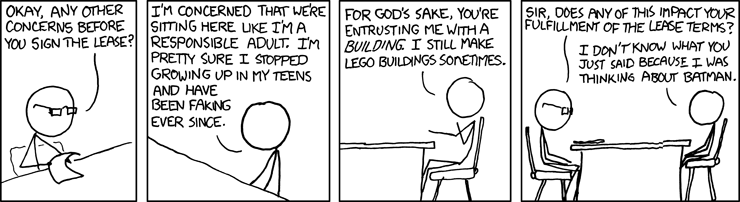
I really try to pay attention on the phone....
lease.png
 
Honestly, details aren't too important for me. I don't give advice over the phone, so the conversation always just leads to find out if they are bringing it in, or if they want me to go there. Then the address and time if they want me to go there. I don't worry too much about the exact problem, a general idea is okay, but I don't need to much detail. Half of the time they don't know how to describe their problem anyways.

Same here. Unless it's a particularly knowledgeable repeat customer, I don't engage in long problem analysis. I just ask them to tell me in their own words what the problem is and how long it's been occurring. Then book the appointment. The OS, or even computer make & model doesn't matter much before I actually see the machine.

Just tell me the problem and whether it's a laptop or desktop. I'll take it from there.
 
I usually don't ask for many details, because they have the annoying habit of being incorrect. Though one tip though from my previous life as a magician, if you do have cue cards, don't put down full sentences, just keywords. This will force your brain to fill in the blanks, which will make you sound less robotic (outsourced tech support) and quickly decreases the need for cue cards.
 
I don't use cue cards of any sort but I ask enough questions to give me an idea of what kind of problem I'll be facing when I get there. I've had someone say "I can't get my email" when he really wanted to say, "It won't turn on at all." It's nice to know if I need to expect certain obstacles so, for example, I make sure I bring in a P/S for testing/replacing.

I'll ask if the computer makes any beeps/boops when starting... does it get into Windows at all... does it not show your home page or not show any pages...?

I just want to have a feel for in which ballpark the problems will be lying.
 
I don't have cue cards but I can give you some advice.
After you have taken a hundred or so similar calls, your responses will become natural. Here are some points to get you going in the right direction.

  1. If you are on the call with a client . . that is the only thing you are doing . . give them your undivided attention and they will give you their undivided business.
  2. Try to avoid jumping to conclusions about what the problem is. . and what the solution will be. I cannot count the number of times someone has said "the computer just wont start" when they mean that they cannot get on the internet.
  3. Ask them to describe what is happening, then ask them again in detail, then ask them what happened just before the problem.
  4. Make your responses always positive, even when delivering a negative. "I looked at your computer and I can fix it. But you may not want to spend $300 on the repair since the computer is not worth that. I would suggest you put your money into a new computer and I will be happy to set it up and transfer the data from this old one".
  5. Make the sale before you even meet them face to face. "I can be there between two and four this afternoon to take a look at it. In order to do this the right way, I may have to take it with me. Can you live without your computer for a few days?"

Just some thoughts on customer service.

Yep, excellent advice from Jim, especially #5; the point of the call is to book the appointment. I ask just enough questions, such as basic symptoms, whether there was any event that marked the start of the trouble, and so forth to confirm, especially in their minds, that I can help. If it sounds like it might be a HDD problem, I caution then not to try and start the computer again, because it could be the last chance to get their valuable data from it. To quote from the flick "Glengarry, Glen Ross," "ABC: Always Be Closing."

Glengarry, Glen Ross speech Warning: STRONG language!!
 
Oh I have a good handsfree kit - but I find I get distracted and forget to ask silly questions (what OS are you using?, do you backup? etc)

I think it would be handy to have some cue cards sat next to office phone and some in the car so that I don't forget any vital information

Sounds like you just need a 'decision tree,' or 'expert system.' Neither of which are ideally suited for the car, however. If you really need something visual, it'd probably be to distracting while driving though.
 
Best thing I ever did was investing in a decent hands free kit. It allows me to be able to concentrate on the calls I get without being distracted by juggling the phone.

As far as cue cards go, no, I just ask what I need to ask ang the conversation generally progresses to where I have the information I need.

I will often get a customer to txt me their details if I am driving. People dont seem to mind doing this and it allows me to have the information to hand when I get to a place I can get out my diary and write down their info.

I use my phones sound recorder, and record the conversation, works slick for people like me who have trouble just walking & talking at the same time :p
 
I don't take calls when I'm driving, since they can leave a message with pertinent information and I'm not distracted driving.
 
My vote also for not bothering to get too many details on the phone. It has been my experience MOST end users can't describe the problem with any measure of accuracy anyway, so I never make any assumptions based on what I've heard on the phone...
 
Back
Top