
KB5077181 Breaking Network Share

JoelM

Active Member
Reaction score
176
Location
Colorado, USA
It seems like this was discussed but did a search and could not find it. I have a small office with 3 computers in a peer to peer config. One machine acts as the server. When KB5077181 installs it breaks the share. I have uninstalled it and paused updates for 5 weeks. Anyone dealing with this or have a better solution or heard anything from Microsoft?
 
It seems like this was discussed but did a search and could not find it. I have a small office with 3 computers in a peer to peer config. One machine acts as the server. When KB5077181 installs it breaks the share. I have uninstalled it and paused updates for 5 weeks. Anyone dealing with this or have a better solution or heard anything from Microsoft?
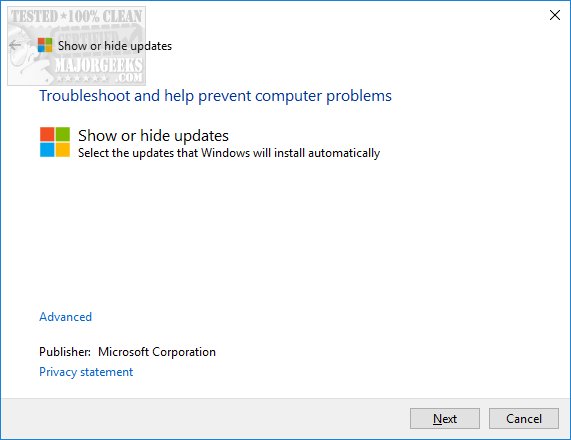
Remove the update altogether so it doesn't show up again, if it's not necessary or useful to the system. Wushowhide will get rid of it. It's been awhile since I've used it but here's the link I used to download it.

 
Remove the update altogether so it doesn't show up again, if it's not necessary or useful to the system. Wushowhide will get rid of it. It's been awhile since I've used it but here's the link I used to download it.

Thanks. Yes I did remove it. I tried the wushowhide but it did not appear in the list after removing the update. LOL
 
Thanks. Yes I did remove it. I tried the wushowhide but it did not appear in the list after removing the update. LOL
Once you hide it, it's no longer there to install again. You may have to reboot the PC, now that you've removed it from history, at which point it might show up for you to hide.
 
I did this with some other update like 2 months ago that broke pop3 accounts in outlook...it was literally a cat and mouse game to get that stupid update to show back up in the list so I could hide the dumb thing...it was very annoying but I got it finally lol.
 
I did this with some other update like 2 months ago that broke pop3 accounts in outlook...it was literally a cat and mouse game to get that stupid update to show back up in the list so I could hide the dumb thing...it was very annoying but I got it finally lol.
Thanks. I'll try again when I have more time.
 
I recently reinstalled Windows and not sure what I am missing as I was running a fully patched Windows and had my NAS accessible now I can see the device on the network but it errors trying to open the share every time. I haven't spent too much time but I know I set my network to Private and incase it was the issue installed the older SMB share stuff in Windows Add/Remove features.
 
Back
Top