
You are using an out of date browser. It may not display this or other websites correctly.
You should upgrade or use an alternative browser.
You should upgrade or use an alternative browser.
Fab's for Mac?
- Thread starter TechLady
- Start date


Markverhyden
Well-Known Member
- Reaction score
- 11,221
- Location
- Raleigh, NC
Migration assistant, it's in Applications>Utilities.

altrenda
Well-Known Member
- Reaction score
- 741
- Location
- So California
Migration Assistant will also copy Applications.
Restoring from a Time Machine Backup is also an option when moving to a different computer.
Restoring from a Time Machine Backup is also an option when moving to a different computer.

pcpete
Well-Known Member
- Reaction score
- 564
Does that allow you to point to an external drive with the old install or what about a disk image file which was crested in disk utility?Migration assistant, it's in Applications>Utilities.
pcpete
Well-Known Member
- Reaction score
- 564
Migration Assistant will also copy Applications
What about stuff like Microsoft Office and the Adobe suite of stuff?
Markverhyden
Well-Known Member
- Reaction score
- 11,221
- Location
- Raleigh, NC
Does that allow you to point to an external drive with the old install or what about a disk image file which was crested in disk utility?
No. Unfortunately that requires a live operating system on both the source and the target. One has to enter a PIN on each machine. To be honest one can just copy over the old account. But there will be manual work. I'm sure there are other apps to do more of a Fabs like operation but I've never needed to investigate them. TM can be used like @altrenda said but I tend to use that method for full disk restores.
What about stuff like Microsoft Office and the Adobe suite of stuff?
It migrates all apps and selected profiles. Office will detect that the machine hash has changed so you have to re-register Office. For Adobe they have become much stricter. It will move it over. But, if memory serves me correctly, you have to log into the old machine to de-authorise the old installation and then authorize the new one. All other apps I've run into seem to run just fine on the new machine.
altrenda
Well-Known Member
- Reaction score
- 741
- Location
- So California
If you want to make a bootable external with all programs intact, you can use Disk Utility or more easily with Carbon Copy Cloner or Super Duper.

CLC
Well-Known Member
- Reaction score
- 320
- Location
- Central Minnesota USA
You can also use Paragon Drive Copy Pro, I actually prefer it. It's windows based and has bootable usb's.If you want to make a bootable external with all programs intact, you can use Disk Utility or more easily with Carbon Copy Cloner or Super Duper.
altrenda
Well-Known Member
- Reaction score
- 741
- Location
- So California
Call me funny but I prefer to use OS X based tools on Macs.You can also use Paragon Drive Copy Pro, I actually prefer it. It's windows based and has bootable usb's.

Windows has enough problems screwing up Windows that I try not to cross the streams and use it on Mac OS when the OS X tools work so well.
CLC
Well-Known Member
- Reaction score
- 320
- Location
- Central Minnesota USA
Yes but the USB is Linux  It does not make you reactivate any applications either, like adobe, office, etc.
It does not make you reactivate any applications either, like adobe, office, etc.
Last edited:

Digital Sage
Active Member
- Reaction score
- 106
- Location
- Merimbula, NSW, Australia
Time machine is solid. I use it constantly to migrate everything over. It's never, not once, missed a beat. If only windows backup software worked the same...I just used Time Machine and a huge USB stick, though something like Fab's would make me a lot more confident about what's being backed up...
Markverhyden
Well-Known Member
- Reaction score
- 11,221
- Location
- Raleigh, NC
Call me funny but I prefer to use OS X based tools on Macs.
Windows has enough problems screwing up Windows that I try not to cross the streams and use it on Mac OS when the OS X tools work so well.
Yep. I've had so many problems when I mix OS X stuff and M$. One stands out in particular. Of course it was self inflicted as usual. I was applying some updates to XP machines. I had downloaded and unpacked the zip file using my MBP. Copied them to a thumbdrive, FAT 32 of course. Checked the contents and all look good. Updated the first machine by dropping all of the folders on it, rebooted, and the startup apps choked. After investigation I figured it out. OS X will create resource fork files on everything. But they are hidden by default, file_name preceded by a ".". But XP was seeing them and processing them first first. So it would try to load .file_name.exe before file_name.exe. What a pain, I had to go through about 30 folders to clean out the hidden files. Never made that mistake again. LOL!!!

calldrdave
Active Member
- Reaction score
- 209
- Location
- Lawrence, KS
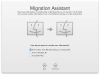
You can use it over a network but it also supports and external hard drive with an install and a time machine backup. Doing a disk image is a bit tricky, but it's doable.Does that allow you to point to an external drive with the old install or what about a disk image file which was crested in disk utility?
Here is a sample screenshot:
Attachments

anonymous Mac Tech
Well-Known Member
- Reaction score
- 48
- Location
- Michigan
Using Migration Assistant on disk images before OSX version 10.9 worked fine. But since 10.9 and up you are essentially logged out when Migration assistant launches which of course closes everything that was open in the user profile including mounted disk images. But, I've used a simple terminal command several times with much success to keep that from happening. It is sudo hdiutil mount (insert path to disk image here with no brackets). You may or may not have to wait for a volume checksum before the volume is mounted and you can fire up Migration Assistant.You can use it over a network but it also supports and external hard drive with an install and a time machine backup. Doing a disk image is a bit tricky, but it's doable.
Here is a sample screenshot:

HCHTech
Well-Known Member
- Reaction score
- 4,400
- Location
- Pittsburgh, PA - USA
Similar threads
- Replies
- 29
- Views
- 2K


- Replies
- 9
- Views
- 1K

- Replies
- 1
- Views
- 557

- Replies
- 5
- Views
- 949

- Replies
- 1
- Views
- 367