Client can't attach document

Blues

Well-Known Member
Reaction score
575
Location
Tennessee, US
Have a client recently got a new computer and helped get it setup and ensure old device data was backed up and/or migrated to the new computer. This was all done a month or 2 ago no issues until today, or reported today, and one I haven't come across or seen.

Client is trying to attach a word document to an email however it is saying the document is in the cloud and client states that save it locally to the machine. The error that occurs is when attempting to attach the document it gives an error that the document couldn't be downloaded. I have not been on site yet only been sent messages and screen shots via text messaging for now.

For now any thoughts and input are welcome I am not sure when I can do an onsite visit for this client just yet.
 
Have a client recently got a new computer and helped get it setup and ensure old device data was backed up and/or migrated to the new computer. This was all done a month or 2 ago no issues until today, or reported today, and one I haven't come across or seen.

Client is trying to attach a word document to an email however it is saying the document is in the cloud and client states that save it locally to the machine. The error that occurs is when attempting to attach the document it gives an error that the document couldn't be downloaded. I have not been on site yet only been sent messages and screen shots via text messaging for now.

For now any thoughts and input are welcome I am not sure when I can do an onsite visit for this client just yet.

Why onsite? do you not have a remote support tool?

QuickSupport?
 
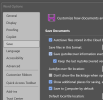
Word/Excel save directly to the OneDrive by default, even if the OneDrive app is not syncing files. That's if the user doesn't change the save location each time, or if they don't turn on the option to save to computer by default.
1776987170555.png
 
I understand the remarks about not saving locally but my greater concern is that it is blocking the client from attaching the file to email. The fact the file is in the cloud shouldn't be preventing attaching to an email and giving a "download failed" error.
 
I understand the remarks about not saving locally but my greater concern is that it is blocking the client from attaching the file to email. The fact the file is in the cloud shouldn't be preventing attaching to an email and giving a "download failed" error.

I would think an important aspect of the problem is the exact email client being used. Is this Outlook (New), Outlook (Classic), Thunderbird, Proton?

Which then naturally leads to the question whether the client can use a webmail interface and experience the same symptom?

Finally, is the client having a problem with just a single file? Or a single file type? Or all files? A single file could simply be corrupt with no EOF marker which could confuse the attach code.
 
It is Outlook though I am not certain if it is New or Classic

I haven't had them try a web client though I am not sure how easily I could walk them through that

So far it is one file that I know and client has indicated it is a continuous problem but not clear if it is all word files or a mix of different types.
 
Well, it would also help to know what the file type *and* size are. There are some who still try attaching things (rather than using file sharing services) that far exceed what any email service permits and most email clients try to follow in terms of size checking.
 
I've been using Microsoft's Quick Assist lately now that I don't maintain a remote server. Doesn't have all the bells and whistles of other options but everyone has it and not hard for a user to bring up.
Good though can get tedious with UAC Prompts,
"Please press Yes..please press Yes..SIGH..Please press Yes."
 
Good though can get tedious with UAC Prompts,

I guess. And for something like this situation, where just getting "the lay of the land" is in order, there probably won't be any.

I always tell my clients that if we get any UAC prompts they will need to respond to them. If I honestly thought there were going to be a stream of these, the first thing I'd do is turn off (or have the client turn off) UAC at the start of the session and reverse that at the end.
 
Back
Top