Another "Look at my website" thread. New business owner, hand coded.

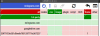
Hm, whole thing doesn't render for me at first but that's just me (I use uMatrix, and the entire site is a frame of a Google Drive address, see screenshot). The actual address of the site is: https://30f71f53e351d5eefa795129771...ost/0B-oJqy2be_-mdHl2S0phRGswWkk/Service.html

If you want it basically free, you might look at http://nearlyfreespeech.net

Once I loaded it up, I don't mind the site at all - except the "click for details on text with no visual indication that it's clickable". That I dislike intensely. There are standard ways to do hover text for details, this is not one of them, and people looking at the site will fall into a few categories: 1) Didn't notice it, 2) Didn't want or understand the details anyway or 3) Already knew the info in your details and don't care. Most of what you have in those popups can just go away.

Oh, and "Shoppe." Shoppe? No? Please no? At least leave it only in the header where the funky font makes it really easy to miss - I didn't even see it until I looked at the About page.

A few suggestions:
  • You have a domain. Set up a domain email address. Seriously, just do it. Having your own domain and pushing a GMail address on it is only a step or 2 above pushing an @aol.com address on it. If nothing else, I think a lot of registrars will let you set up some number of email addresses to forward to an actual mail account.
  • You might change "Wireless Internet Repair/Replacement" to include "WiFi" - also if you're replacing cards, be aware of laptops that "whitelist" cards. I'm not sure if it's still the practice, but at various times I've run into laptops that would only run with card models that were available as original equipment on the laptop.
  • If you're looking to add items to the Hardware list, I'd add Memory/RAM Upgrades and Video Card Upgrades, and maybe remove the Hardware Repair and Hardware Installation line items. You should probably also add and highlight SSD Installations - a lot of members hvae found those to be great sellers because they completely revive systems.
  • Spy-ware, Ad-ware and Mal-ware should just be done as non-hyphenated words. They're almost never hyphenated in my reading.
  • I'd say "Forgotten Password Recovery" not "User Password Crack," and I'd maybe throw in "With appropriate ID" to discourage folks that you don't want to be servicing anyway. "Hey, can you remove the password on my laptop? Sorry, I 'forgot' to bring the cord along."
  • I'd take out the details about what you do with computers received for recycling, but you can add a note about "Tested and verified used parts may be available to save you money"
  • It's not clear to me - are you a solo tech with two locations or do you have two staffed locations? In any case, I'd consider combining the Locations and Hours pages - particularly if you can narrow things down to "Mornings in Locust, Afternoons in Mint Hill" or something like that. If one is more of a business office is it staffed with someone who could accept drop-offs for you?
  • For hours, maybe add a note about "Please call ahead in case we're out at a client site instead of in the shop."
  • I think that rather than a Reviews page with links to (mostly) social media sites you'd be better off with the social media icons for those sites on each page in the footer. I'd also see if you can consolidate the separate listings/pages into a single one on each platform.

For your "About" page:
  • See if you can become a reseller for any of the big brands - Lenovo, Dell, HP - even if you never actually sell any new equipment, just so you have a legitimate reason to include their logos on your About page. Right now your partners section seems like it should be kind of hidden at the bottom of the page.
  • "After a youth spent disassembling family electronics (eventually learning how they worked), business owner Jacob Ingram extended his knowledge of computers and electronics with courses at Central Piedmont Community College, ongoing technical training in multiple areas of IT and hands-on experience in the field. He has also taught one-on-one and small group computer courses. In 2016 he founded Mr Ingram's Computer Repair & Shoppe."
  • If you don't feel that you can say "ongoing technical training" legitimately, go see if your local library has a partnership with Lynda.com and take some courses, or take some through Udemy, or join whichever of the Microsoft programs it is that gives you access to Pluralsight for a while, or look at what's available on Coursera (might be overkill/not as relevant).
  • Rebekah is not the "Shoppe Manager" unless you're adding bath beads or the like, she's the Business Manager.
  • "Business manager Rebekah Ingram keeps things running smoothly and is generally ready to accept drop-offs of equipment needing repair at our business office/XYZ location."
Also, while the pictures aren't bad, I'd think about redoing them to be more consistent and businesslike.
 

Attachments

  • 2016-06-18 21_28_35-.png
    2016-06-18 21_28_35-.png
    16.4 KB · Views: 7
Last edited:
Hm, whole thing doesn't render for me at first but that's just me (I use uMatrix, and the entire site is a frame of a Google Drive address, see screenshot). The actual address of the site is: https://30f71f53e351d5eefa795129771...ost/0B-oJqy2be_-mdHl2S0phRGswWkk/Service.html

If you want it basically free, you might look at http://nearlyfreespeech.net
I know :/ I will be changing here soon. thanks.

"click for details on text with no visual indication that it's clickable". That I dislike intensely. There are standard ways to do hover text for details, this is not one of them, and people looking at the site will fall into a few categories: 1) Didn't notice it, 2) Didn't want or understand the details anyway or 3) Already knew the info in your details and don't care. Most of what you have in those popups can just go away.
True. true. Took it off.

Oh, and "Shoppe." Shoppe? No? Please no? At least leave it only in the header where the funky font makes it really easy to miss - I didn't even see it until I looked at the About page.

I have a full retail front, shelves, showcases. I sell pretty much all computer related things from cables, wires, monitors, parts, (all peripherals (mice, keyboards, speakers, ect), printers, laptops, desktops.

You have a domain. Set up a domain email address. Seriously, just do it. Having your own domain and pushing a GMail address on it is only a step or 2 above pushing an @aol.com address on it. If nothing else, I think a lot of registrars will let you set up some number of email addresses to forward to an actual mail account.
looking into if godaddy gives me an email for free.

  • You might change "Wireless Internet Repair/Replacement" to include "WiFi" - also if you're replacing cards, be aware of laptops that "whitelist" cards. I'm not sure if it's still the practice, but at various times I've run into laptops that would only run with card models that were available as original equipment on the laptop.
  • If you're looking to add items to the Hardware list, I'd add Memory/RAM Upgrades and Video Card Upgrades, and maybe remove the Hardware Repair and Hardware Installation line items. You should probably also add and highlight SSD Installations - a lot of members hvae found those to be great sellers because they completely revive systems.
  • Spy-ware, Ad-ware and Mal-ware should just be done as non-hyphenated words. They're almost never hyphenated in my reading.
  • I'd say "Forgotten Password Recovery" not "User Password Crack," and I'd maybe throw in "With appropriate ID" to discourage folks that you don't want to be servicing anyway. "Hey, can you remove the password on my laptop? Sorry, I 'forgot' to bring the cord along."
thank you.

It's not clear to me - are you a solo tech with two locations or do you have two staffed locations? In any case, I'd consider combining the Locations and Hours pages - particularly if you can narrow things down to "Mornings in Locust, Afternoons in Mint Hill" or something like that. If one is more of a business office is it staffed with someone who could accept drop-offs for you?
I am working on it, I am at one, Rebekah is at the other part-time, and I am training someone now to fill the other part-time.

For your "About" page:
  • See if you can become a reseller for any of the big brands - Lenovo, Dell, HP - even if you never actually sell any new equipment, just so you have a legitimate reason to include their logos on your About page. Right now your partners section seems like it should be kind of hidden at the bottom of the page.
  • "After a youth spent disassembling family electronics (eventually learning how they worked), business owner Jacob Ingram extended his knowledge of computers and electronics with courses at Central Piedmont Community College, ongoing technical training in multiple areas of IT and hands-on experience in the field. He has also taught one-on-one and small group computer courses. In 2016 he founded Mr Ingram's Computer Repair & Shoppe."
  • If you don't feel that you can say "ongoing technical training" legitimately, go see if your local library has a partnership with Lynda.com and take some courses, or take some through Udemy, or join whichever of the Microsoft programs it is that gives you access to Pluralsight for a while, or look at what's available on Coursera (might be overkill/not as relevant).
  • Rebekah is not the "Shoppe Manager" unless you're adding bath beads or the like, she's the Business Manager.
  • "Business manager Rebekah Ingram keeps things running smoothly and is generally ready to accept drop-offs of equipment needing repair at our business office/XYZ location."
Thank ya!
 
I have a full retail front, shelves, showcases. I sell pretty much all computer related things from cables, wires, monitors, parts, (all peripherals (mice, keyboards, speakers, ect), printers, laptops, desktops.

Excellent, that's just about ideal. I didn't look hard to see how rural the area is, but if you have a few bits of standard networking equipment (e.g. 1-2 switches up to 8-port Gigabit) and a monitor or two, see if you can let small businesses in the area know that you're ready to get them back up and running the same day for many kinds of computer hardware problems. Looking now it seems like you're not that far from Charlotte so this may not be as big a factor, so I don't know how much it's worth investing. Still worth keeping a couple of cheap 8-port gigabit switches around for probably.

The thing I didn't like wasn't the "Shop" aspect it was the "pe" aspect. When I think "shoppe" I think "I can get froofy crap for my wife, or maybe some little porcelain figurines. Or a sundae."

looking into if godaddy gives me an email for free.

I'm on namecheap (and love them - free dynamic DNS, good prices, etc.). They allow 100 forwarding aliases (e.g. info@ forwarded to an email address you specify) free with the domain registration if you use their DNS servers, but having actual email where you can send using that domain name is a paid product as it probably will be for just about everyone. Looking into it a bit more, their single-mailbox personal plan is $10/year, but it may eliminate those 100 forwarding aliases which seems odd but is something to be aware of.

Rebekah is at the other part-time,

If you have a bench at each, can she accept drop-offs and get them hooked up with remote software so you can work on them from the other shop?
 
They allow 100 forwarding aliases (e.g. info@ forwarded to an email address you specify) free with the domain registration if you use their DNS servers, but having actual email where you can send using that domain name is a paid product​

If you have forwarding aliases, you've just as good as have your own Google Apps for Domains email account. Just forward them to your Gmail address. Then add the alias address as a sending address in your gmail account. Then, set that as your default sending address.
 
If you have forwarding aliases, you've just as good as have your own Google Apps for Domains email account. Just forward them to your Gmail address. Then add the alias address as a sending address in your gmail account. Then, set that as your default sending address.

I figured there was almost certainly something like this, but I've been pulling POP3 email off my own domain since not too long after Google became a company in the first place and haven't ever desired to tie myself that closely to yet another email provider that could go away, not that it's likely that Google will do so at this point.
 
Back
Top