

frase
Well-Known Member
- Reaction score
- 4,835
- Location
- Melbourne, Australia
EDIT (Resolution)
The issue was that the Microsoft Outlook required a "App Password", not a general password.
This app password was within the Telstra Webmail Settings, Telstra is an Australian Telecommuncications Network - like AT&T, Verizo
I had to generate an app password within the Telstra Webmail Settings.
Copied that app generated password - a long field.
Then when I added the account in Outlook as per usual I added the App Password I copied from the Telstra Webmail App earlier.
Outlook then allowed the account to be added as per usual.
The issue is that the Telco does not inform customers about this issue, so one for the book.
Having a hard time trying to resolve this issue for a customer -
Outlook (classic) connects though is not importing emails via server or sending new - no error stated.
OutlookNew - it will not accept the users email and password, fails with the ubiquitous "Something went wrong..we have no idea etc."
When it does add the account via Outlook online it appears with an odd email address "outlook_DEEA0A48C5CA3FA@outlook.com" though when exited and opened it comes up as the usual email address though with what is in the image in fig(a)
The account connects though no activity at all as can be seen via the image here and is connected to Exchange within Outlook Classic
The email account does connect to the server via the WebMail Internet Access (Is using Telstra) a company here in Aus.
There are no password issues with the webmail server as logs on fine with the users credentials.
So what have I tried -
OS is Win11 Pro 24H2.
Removed any 365/Outlook reference within Windows Credential Manager.
Tried various email clients/same issue.
Checked if using a school/work account - does not specify anything within settings/accounts relating to a work/school account - none added.
Nuked the existing Outlook profile to create a new one.
Checked 365 account status, was expired though updated users current credit card and removed previous and account is valid and uptodate.
Why they did this was that they mentioned somekind of issue with a "Scam" or something and they changed password on email account and credit cards.
The Telco is laying the blame towards Microsoft so kinda at a stalemate.
Any ideas 365 Ninjas here
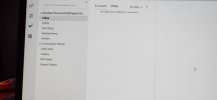
Fig.a
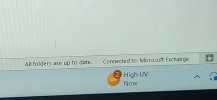
Fig.b
The issue was that the Microsoft Outlook required a "App Password", not a general password.
This app password was within the Telstra Webmail Settings, Telstra is an Australian Telecommuncications Network - like AT&T, Verizo
I had to generate an app password within the Telstra Webmail Settings.
Copied that app generated password - a long field.
Then when I added the account in Outlook as per usual I added the App Password I copied from the Telstra Webmail App earlier.
Outlook then allowed the account to be added as per usual.
The issue is that the Telco does not inform customers about this issue, so one for the book.
Having a hard time trying to resolve this issue for a customer -
Outlook (classic) connects though is not importing emails via server or sending new - no error stated.
OutlookNew - it will not accept the users email and password, fails with the ubiquitous "Something went wrong..we have no idea etc."
When it does add the account via Outlook online it appears with an odd email address "outlook_DEEA0A48C5CA3FA@outlook.com" though when exited and opened it comes up as the usual email address though with what is in the image in fig(a)
The account connects though no activity at all as can be seen via the image here and is connected to Exchange within Outlook Classic
The email account does connect to the server via the WebMail Internet Access (Is using Telstra) a company here in Aus.
There are no password issues with the webmail server as logs on fine with the users credentials.
So what have I tried -
OS is Win11 Pro 24H2.
Removed any 365/Outlook reference within Windows Credential Manager.
Tried various email clients/same issue.
Checked if using a school/work account - does not specify anything within settings/accounts relating to a work/school account - none added.
Nuked the existing Outlook profile to create a new one.
Checked 365 account status, was expired though updated users current credit card and removed previous and account is valid and uptodate.
Why they did this was that they mentioned somekind of issue with a "Scam" or something and they changed password on email account and credit cards.
The Telco is laying the blame towards Microsoft so kinda at a stalemate.
Any ideas 365 Ninjas here
Fig.a
Fig.b
Last edited:


