3 beeps after led replacement

ell

Well-Known Member
Reaction score
455
4 beeps after led replacement

Agh, just replaced this dell N5110 screen, with exact product number it worked perfectly for me afterwards, customers picked it up an hour ago, now he calls and there are 4 loud beeps and black screen, he brought it back said all he did was plug it into a hdmi tv. I pulled the ram, reseated, booted with none, two beeps. Put in one of my own sticks, still black screen for like 3 minutes then continuous 4 beeps ???
 
Last edited:
4 beeps? Are you sure it's not 8? That indicates LCD failure. Try another screen, just a temporary screen, doesn't have to be the same size, just LED.

Or can try resetting the bios, i believe the battery is under the kb on that model.
 
4 beeps? Are you sure it's not 8? That indicates LCD failure. Try another screen, just a temporary screen, doesn't have to be the same size, just LED.

Or can try resetting the bios, i believe the battery is under the kb on that model.

its definitely 4, powers up briefly lights flash then just the power button stays on then after a couple minutes the four beeps begins. I swapped the screens back, same. The screen I ordered was exact numbers here http://cgi.ebay.com/ws/eBayISAPI.dll?ViewItem&item=370581924940&ssPageName=ADME:L:OU:US:3160 But The screen I got has 56wx1406abrh1m2xbh0713 on it, could it be I shorted something? I was working when he took it.
 
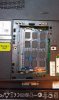
Well I think I may have found the issue, I went in and pulled the bios battery and I found this clip rattling around under the palm rest, lodged against the mobo. Now what should I do? I only reseated the ram and swapped the led, the screen was working and I powered it on for him to see when he left with it. Hour later its beeping and black. What do I do? Offer to transfer his data to a new machine? Give his money back even if I know I didn't do it? help, my first screen replacement (professionally) and this happens :(

I did a little googling and found this post about the same issue with dislodged clips with the n5110! http://en.community.dell.com/support-forums/laptop/f/3518/t/19513280.aspx
 

Attachments

  • IMAG0407.jpg
    IMAG0407.jpg
    96 KB · Views: 53
Last edited:
Depends where the clip was from and if you may have dislodged it...if your sure you did nothing wrong then tell them, however as far as customer knows you had his machine and now it doesn't work and the fault is not the original one, on the other hand you did test it for him in the shop....it's difficult, i'd ring him and just tell him what you found and see what he says.
 
Depends where the clip was from and if you may have dislodged it...if your sure you did nothing wrong then tell them, however as far as customer knows you had his machine and now it doesn't work and the fault is not the original one, on the other hand you did test it for him in the shop....it's difficult, i'd ring him and just tell him what you found and see what he says.

yes, I've been up struggling with this, trying to figure what happened, the four beeps still mystifies me, and it does 2 when I take out the ram, wouldn't that stop if it was the mobo? I'm going to go get another stick to test anyways, maybe mine are bad but I doubt it. I never did anything more than swap the screens and reseat the ram, and I tested the screen coming on 3 times (once with him). What do you think of this: He has paid me $165, I'm thinking I give him back $50 for the screen (I already pulled the new one back out) and offer to do a data transfer and setup to a new machine for free.
 
Last edited:
As far as beep codes go, you really need to be methodical about this.

If your getting "memory beeps" then there is something wrong with the board or the memory. If you have access to a few other sticks of compatible memory, then you can easily swap to see if it's the board or the sticks.

What does the "two beeps" mean for this particular bios?

Also don't forget that sometimes a slot may be bad, so maybe try to insert only one stick in one slot (try a variety of sticks one at a time in each slot) just to be sure. If none of your sticks work in any combination, then you have a bad board.

As far as the customer goes. I'd call the customer and tell them what you've found. Explain the situation and see what they feel is fair. Work towards some common ground, trying to keep that customer happy. Be polite, truthful and reasonable. That is the best you can do.
 
Well I think I may have found the issue, I went in and pulled the bios battery and I found this clip rattling around under the palm rest, lodged against the mobo. Now what should I do? I only reseated the ram and swapped the led, the screen was working and I powered it on for him to see when he left with it. Hour later its beeping and black. What do I do? Offer to transfer his data to a new machine? Give his money back even if I know I didn't do it? help, my first screen replacement (professionally) and this happens :(

I did a little googling and found this post about the same issue with dislodged clips with the n5110! http://en.community.dell.com/support-forums/laptop/f/3518/t/19513280.aspx

I posted a thread about this issue a while back. Check the mem bay again to see if more clips aren't missing and still inside.
 
As far as beep codes go, you really need to be methodical about this.

If your getting "memory beeps" then there is something wrong with the board or the memory. If you have access to a few other sticks of compatible memory, then you can easily swap to see if it's the board or the sticks.

What does the "two beeps" mean for this particular bios?

Also don't forget that sometimes a slot may be bad, so maybe try to insert only one stick in one slot (try a variety of sticks one at a time in each slot) just to be sure. If none of your sticks work in any combination, then you have a bad board.

As far as the customer goes. I'd call the customer and tell them what you've

found. Explain the situation and see what they feel is fair. Work towards some common ground, trying to keep that customer happy. Be polite, truthful and reasonable. That is the best you can do.

The two beeps are for missing ram. I guess its maybe the slots are bad, just speculating, the clip came from the memory bay, there are two others that are loose too. I've swapped and tired 6 different sticks.
 
you think I'm missing 4?!

Dell-Inspiron-N5110-disassembly-04.jpg


compare this N5110 bay shot.
 
well I opened it up and found 3 out 4 clips, pulled the cmos again and rebooted, still doing the 4 beeps, guess its done :(
 
well I opened it up and found 3 out 4 clips, pulled the cmos again and rebooted, still doing the 4 beeps, guess its done :(

Have you accounted for all the missing clips so far ? Did you completely rip it apart or just stop when you found the last clip ?

Did you find any of the clips jammed into anything or in the ram area that would make sense with this error code ?

Just check everything again and try it with new or known good ram, even though you did that before this latest discovery of the metal bits.

I would just take a break and then come back at it one last time.

ps- be sure to tell the client this is not your fault and show them the clips.
 
Have you accounted for all the missing clips so far ? Did you completely rip it apart or just stop when you found the last clip ?

Did you find any of the clips jammed into anything or in the ram area that would make sense with this error code ?

Just check everything again and try it with new or known good ram, even though you did that before this latest discovery of the metal bits.

I would just take a break and then come back at it one last time.

ps- be sure to tell the client this is not your fault and show them the clips.

Yes, I stripped it down to board, I was able to pray it up almost completely except one corner and could see thoroughly underneath. Just one unaccounted for. I looked all around the ram bay, nothing, so weird, yup I'll be going back it, I still have maybe 3 hrs, but I'm not hopeful, is there any way I could have done it connecting the new screen? I don't see how.
 
Yes, I stripped it down to board, I was able to pray it up almost completely except one corner and could see thoroughly underneath. Just one unaccounted for. I looked all around the ram bay, nothing, so weird, yup I'll be going back it, I still have maybe 3 hrs, but I'm not hopeful, is there any way I could have done it connecting the new screen? I don't see how.

Well, that model should not require you going into the main chassis, I'm almost certain its one of those easy pull the bezel off the lcd assembly and you are in, unless you did go deeper ?

The fact it worked when you were done means all the work you did was ok and didn't kill it straight away. It is possible the LCD is bad but that would either give a LCD error code or a system short and not produce a ram error code.

With the discovery of these metal tabs inside its also possible it has zapped the motherboard and that's the excuse I world work on because it was working when you returned it to them.

If you really cannot account for the final tab and photos elsewhere show there should be an additional tab, its possible its still in there somewhere, but without going inch by inch you wont know.

I feel for you, I have been in this position many times, but do all you can and if you cant save it, try to figure out the best way to exit with the client realizing its not really your fault since you have proof. How this ends up money wise, only you can tell.
 
Well, that model should not require you going into the main chassis, I'm almost certain its one of those easy pull the bezel off the lcd assembly and you are in, unless you did go deeper ?

The fact it worked when you were done means all the work you did was ok and didn't kill it straight away. It is possible the LCD is bad but that would either give a LCD error code or a system short and not produce a ram error code.

With the discovery of these metal tabs inside its also possible it has zapped the motherboard and that's the excuse I world work on because it was working when you returned it to them.

If you really cannot account for the final tab and photos elsewhere show there should be an additional tab, its possible its still in there somewhere, but without going inch by inch you wont know.

I feel for you, I have been in this position many times, but do all you can and if you cant save it, try to figure out the best way to exit with the client realizing its not really your fault since you have proof. How this ends up money wise, only you can tell.

This is one of the pain-in-the-xxx models where you have to remove the mobo just to get at the hard drive. I had to pull the palmrest, keyboard and several little connectors. I really appreciate your sticking with me on this, good to have someone with experience to coach me when I make my first pro led replacement attempt (I've done several for free for family/friends), what a bummer. Customer will be here in 20 minutes, I'm going to show him your thread, and another I found about the clips.
 
Last edited:
Back
Top