
- You are here:
- Home »
- Blog »
- Computer Technician Tools »
- Eraser – Secure and Permanent Data Removal

Eraser – Secure and Permanent Data Removal
Eraser is a data wiping tool that securely and permanently deletes files through a multi-step process. In addition to removing files from data tables within your operating system, Eraser will write over your deleted files with special patterns designed to completely and permanently obliterate anything you delete. Eraser even features scheduling functionality that allows you to specify when certain folders or files should be securely deleted.
Eraser supports a variety of Windows systems, including XP, Windows server 2003, 2008, and 2008 R2, as well as Vista and Windows 7. In addition to its wide support of different versions of Windows, Eraser will work properly on any hard drive that also works on Windows, so you can securely erase data on standard or highly customized machines.
Eraser is a free utility that you can download and use long as you like. There are several stable builds, meaning versions of the software that are entirely or mostly bug free, as well as some more recent beta versions that have added features.
Screenshots
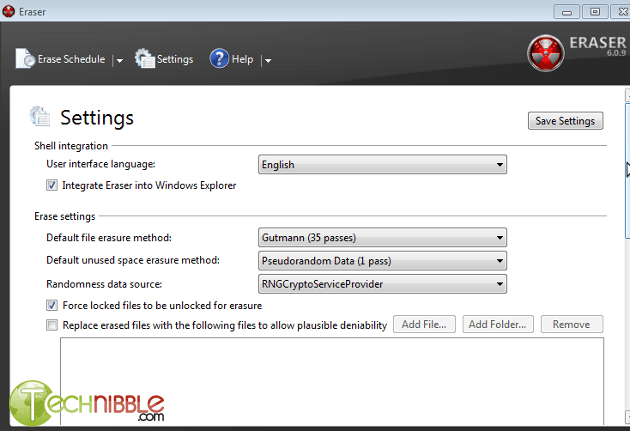
Eraser Settings
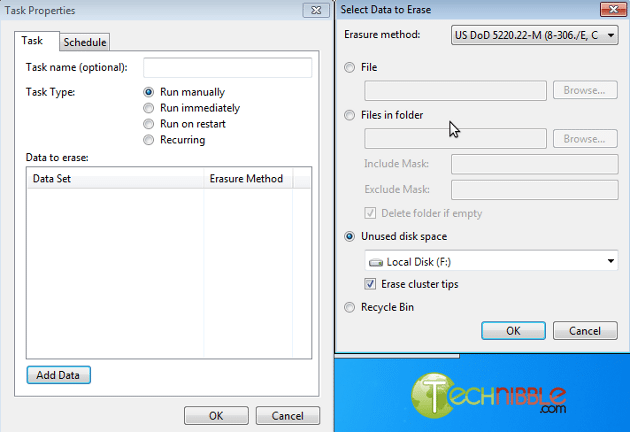
Schedule a Task
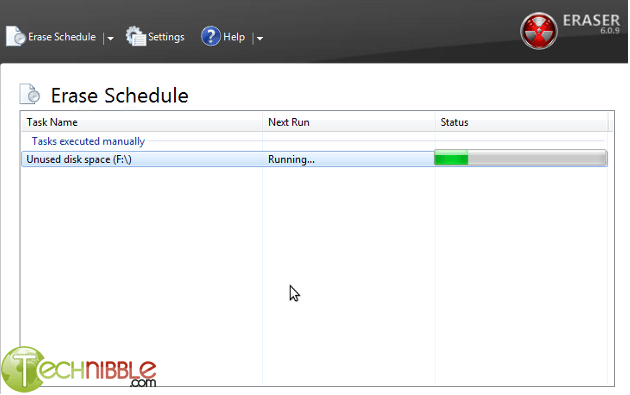
Schedule Screen Showing Active Task
Downloads
Session expired
Please log in again. The login page will open in a new tab. After logging in you can close it and return to this page.
We use cookies to help you navigate efficiently and perform certain functions. You will find detailed information about all cookies under each consent category below.
The cookies that are categorised as "Necessary" are stored on your browser as they are essential for enabling the basic functionalities of the site.
We also use third-party cookies that help us analyse how you use this website, store your preferences, and provide the content and marketing materials that are relevant to you. These cookies will only be stored in your browser with your prior consent.
You can choose to enable or disable some or all of these cookies but disabling some of them may affect your browsing experience.
We use third-party cookies that help us analyse how you use this website, store your preferences, and provide the content and marketing materials that are relevant to you. However, you can opt out of these cookies by checking "Do Not Sell or Share My Personal Information" and clicking the "Save My Preferences" button. Once you opt out, you can opt in again at any time by unchecking "Do Not Sell or Share My Personal Information" and clicking the "Save My Preferences" button.
Your opt-out settings for this website have been respected since we detected a Global Privacy Control signal from your browser and, therefore, you cannot change this setting.

While scheduling functionality is an interesting feature, I’ll stick to Ccleaner and Active@killdisk and skip this one.