
- You are here:
- Home »
- Blog »
- Computer Technician Tools »
- RAMMap – Physical Memory Analysis Tool
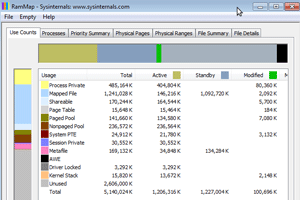
RAMMap – Physical Memory Analysis Tool
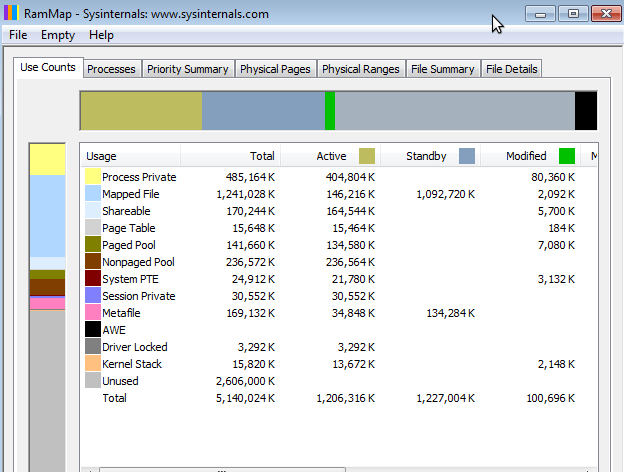
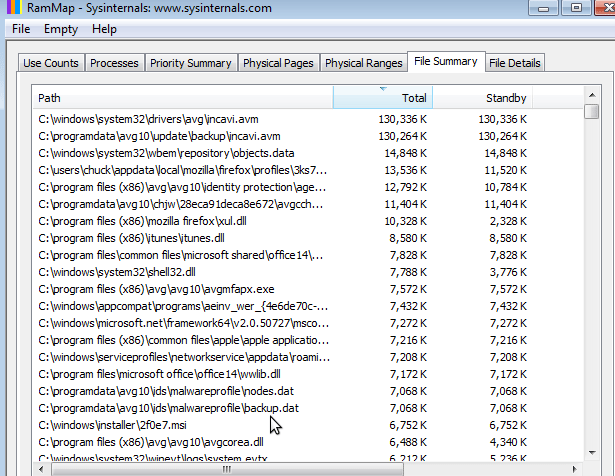
RAMMap is a portable, stand-alone software tool that allows you to see exactly how Windows assigns physical memory. The tool does not just display memory usage on an application or process basis, but it shows the the memory usage down to each individual file. The technician can analyze the exact memory allocation of drivers, dll’s, system fonts, cached files, and more.
The following tabs are available on the main RAMMap screen:
- Use Counts: usage summary by type and paging list
- Processes: process working set sizes
- Priority Summary: prioritized standby list sizes
- Physical Pages: per-page use for all physical memory
- Physical Ranges: physical memory addresses
- File Summary: file data in RAM by file
- File Details: individual physical pages by file
A technician will find RAMMap useful in troubleshooting system slowdowns and memory issues by being able to see exactly what files/programs are taking up the most memory, or if program files are not being released from memory correctly. RAMMap can also help the technician clean up a client’s computer of files, drivers, and fonts that are taking up memory space but are not necessary.
HERE is In-Depth Explanation of the Use Count and File Summary Tabs from Technet.
Download Links
Download from Windows Sysinternals – 272kb
Download from Brothersoft.com [Mirror] – 272kb
Session expired
Please log in again. The login page will open in a new tab. After logging in you can close it and return to this page.
We use cookies to help you navigate efficiently and perform certain functions. You will find detailed information about all cookies under each consent category below.
The cookies that are categorised as "Necessary" are stored on your browser as they are essential for enabling the basic functionalities of the site.
We also use third-party cookies that help us analyse how you use this website, store your preferences, and provide the content and marketing materials that are relevant to you. These cookies will only be stored in your browser with your prior consent.
You can choose to enable or disable some or all of these cookies but disabling some of them may affect your browsing experience.
We use third-party cookies that help us analyse how you use this website, store your preferences, and provide the content and marketing materials that are relevant to you. However, you can opt out of these cookies by checking "Do Not Sell or Share My Personal Information" and clicking the "Save My Preferences" button. Once you opt out, you can opt in again at any time by unchecking "Do Not Sell or Share My Personal Information" and clicking the "Save My Preferences" button.
Your opt-out settings for this website have been respected since we detected a Global Privacy Control signal from your browser and, therefore, you cannot change this setting.

Could be a good tool. Why won’t it run in XP?