
- You are here:
- Home »
- Blog »
- Computer Technician Tools »
- SafeMSI.exe – Start Windows Installer Service in Safe Mode
SafeMSI.exe – Start Windows Installer Service in Safe Mode
SafeMSI.exe is a tiny, portable, freeware application designed to let you uninstall programs in safe mode. When the computer is in safe mode, the Windows Installer service isn’t started so most programs can’t be uninstalled. Since technicians do a lot of work in safe mode and being unable to uninstall is a huge bother. It is also not possible to start the service manually, an error message will come up saying “Could not start the Windows Installer service on Local Computer. Error 1084: This service cannot be started in Safe Mode”. This tool will do a registry tweak so that Windows Installer is made a safe service and it will launch the Windows Installer service. The tool is meant to be used after you are already in safe mode, it is a tiny .exe that just needs to be double-clicked or run and it runs very quickly.
The website mentions that the tool is compatible with Windows NT, 2000, XP and Server 2000. Although it doesn’t mention it, it is also compatible with newer versions including Windows 7.
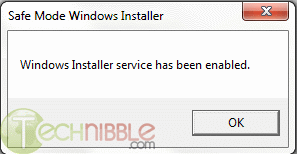
Screenshots:
Downloads:
Download from Official Site – 11 KB
Special thanks to Morrison5891 for recommending this one.
Session expired
Please log in again. The login page will open in a new tab. After logging in you can close it and return to this page.
WOW if this works, I will be so happy. Thank you so much.
This is the best tool I have worked on it many times. It had helped me a lot in solving the problems.
Very helpful tool as I do a lot of repair work in safe mode. Added to the flash drive :).
THANK YOU!!! I always hated that I couldn’t uninstall programs while in safe mode…
Great addition to the tech’s toolkit :)
It was posted in 2005 so has it been updated?
Great tool if it has been updated.
yea good tool, but is it safe?
if the folks on Microsoft did that you can’t open the Add and Remove in SafeMode, probably it isn’t safe to do so.
we need catch the point.
What a great addition to my collection of hacks.
Nice Little App! At last! Nice to addition to the toolbox! Thank you very much for sharing this.
Oh man, I can’t count the number of times I’ve needed this. Thanks!
You can also download this from the Tool of the week Fourm. I’ve been using this for a while now and its awesome tool to have. I’ve also used it in Windows 7 32-Bit & 64-Bit without any problems
Great tool.
I have to laugh, though, because they took the extra step of creating a .zip file for a file that’s already practically too small to detect.
Has anyone tried this uninstall method with Norton or McAfee products? Does it successfully do it?
Have used this many times. Very handy
This is a great tool. Have done this many times through manual registry tweaks. This is a must have tool for the thumb drive.
works like a charm! just uninstalled symantec endpoint from safemode, thanks again Bryce and Morrison5891
How can I restore the previous situation?
I used this to uninstall an antivirus product in safe mode. Definitely comes in handy.
What a great addition to my collection of hacks.
Nice time saver!
If we had only known about this sooner!
Thanks for posting. It is now a welcomed part of our arsenal.
-Computer Repairs Tampa
I can’t boot into Normal Mode and access my True Desktop. I try to booot into it and go so far as the Welcom Screen, enter my Password and WinLogon Says I can’t log in.
I had read on the Microsoft Answers site for Win 7 that there is a registry key to change so get in to the desktop. ALL my files are there in C:\User\DonB Do any of you have experience with this? All I need is a registry patch or program to get in…
Thanks, Donaald Bock
Thanks for a sharing. This application goes to my technician tools.
Very helpful application especially in situations which you need to uninstall an old version of a program and install the new version very urgently.
New Link
http://www.gur.in/jnew/index.php?option=com_docman&Itemid=58&task=doc_download&gid=72
Thank you very much for the positive comments. If there are any improvements needed to the tool, feel free to let me know at:
harry@[NOSPAM]rocksystems.net
It was coded originally back in 2004, so it may need updating for Windows 7. From what I heard, it does work fine.
You can find my other tools at WindowsITPro.com by searching “Harry Bates”.