
- You are here:
- Home »
- Blog »
- Computer Technician Tools »
- MSN Messenger Virus Cleaner – Remove Messenger Worms
MSN Messenger Virus Cleaner – Remove Messenger Worms
These days, most teenagers are on MSN, KaZzA and MySpace messing up their parents computers for us to fix. One of the common infections that teenagers often end up with are MSN Messenger worms. These worms send messages to all the people on their contact list with a message like this. MSN Virus Cleaner can help remove these worms.

MSN Virus Cleaner is a freeware, portable tool to remove MSN Messenger worms and viruses, and fix many MSN Messenger error codes.
This application requires .NET Framework 2.0 though which you can download here. Otherwise, it crashes. If you are using Vista, you may need to set this to “run as administrator” for it to work properly.
To use MSN Virus Cleaner:
- Close MSN Messenger
- Download and Install the .NET Framework 2 if you haven’t already
- Download and Save MSN Cleaner to your hard drive
- Run MSN Virus Cleaner, allow it to update, press “Scan” and wait for it to finish
- Restart the computer
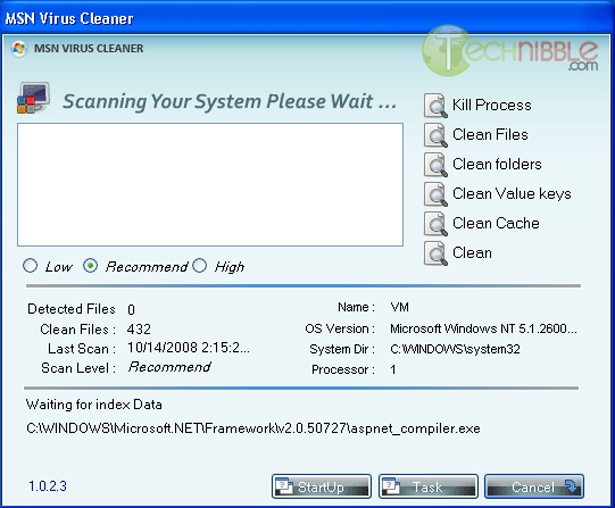
Screenshots:
Downloads:
Download from CNET.com – 236kb
Session expired
Please log in again. The login page will open in a new tab. After logging in you can close it and return to this page.
great tool… a lot of people still use AOL messenger and Yahoo messenger… anyone have tools like this for those IM programs?
what a fabulous sounding tool just going to try it on my daughters machine.
I’m not so sure about this one here… seems to me that many folks don’t have .net on their machines.
Doens’t this do the same thing as most other virus programs? Am I missing something here?
It’s not only teens that use those.Many adults get viruses and mess up they’re computers too.
MSN is heavily used so this app definitely is quite useful. But if you have a good antivirus software installed already then theres no need for something like this.
great app it worked indeed, but you have to install .net 2 first.
nice tool simple and fast.
It looks like the download site is currently offline. Anyone know of a mirror link for this?
msn wont work what ever i do
please could you help me get msn asap please. email me at thomasclifford@hotmail.co.uk
i have prob for my msn when i loggon msn then after 2 min automatic its gone how can i fix this prob
Looks great! going to try it out now!