
- You are here:
- Home »
- Blog »
- Computer Technician Tools »
- Memtest86+ – Bootable RAM Testing Tool
Memtest86+ – Bootable RAM Testing Tool
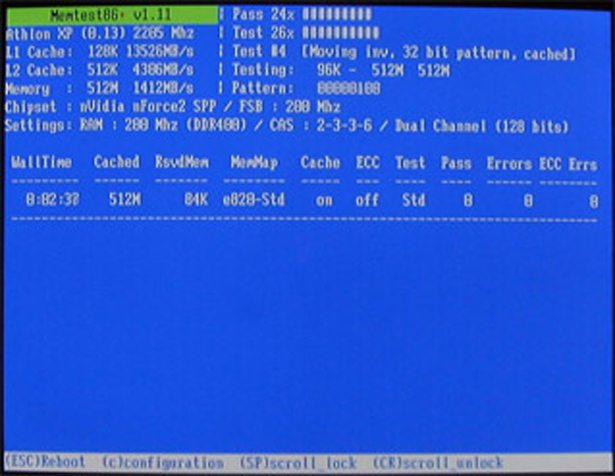
Memtest86+ is a bootable, DOS based tool which thoroughly tests the RAM of your PC for any errors. If you computer occasionally hangs, reboots or keeps getting Windows stop errors (aka BSOD or blue screen of death errors) then give this a tool a shot to test your RAM. Once downloaded, just run the executable and it will create a bootable floppy disk with Memtest which will run whenever you boot the computer with the disk inserted.
Edit: There is also a version of this that can boot off a USB drive instead of a floppy disk which you can download Here.
Screenshot:
Downloads:
Download at Official Memtest86+ Site – (68.4kb)
Session expired
Please log in again. The login page will open in a new tab. After logging in you can close it and return to this page.
Great tool! But may I suggest RAM Probe as well. It is also based off Memtest86 code and from my reading/testing… more up-to-date with current chipsets.
Also, great website! As a fellow freelancer, I found your article on “Getting the money” right at home! :-)
I’m pretty sure I have bad RAM, I’ve been through this many times. I have 4 sticks of 256 other than that there is no other information on the sticks themselves. My question is “how do you work this tool using the USB?” I don’t have a floppy drive. Please respond via e-mail as most likely I will not be able to find this site again haha.
joeycurley@hotmail.com
Thank You….
In addition, windows 7 has memory test tool already. Start -> Run -> mdsched