
- You are here:
- Home »
- Blog »
- Computer Technician Tools »
- Hijack Reader – Analyze Hijack This! Logs
Hijack Reader – Analyze Hijack This! Logs
Hijack Reader is a freeware, portable utility that can analyze Hijack This! logs and output the results to a HTML file. Most computer technicians already know about the websites online that can analyse Hijack this! logs for you such as such as HijackThis.de.
But, what happens if you don’t have access to the internet? what happens if the malware has damaged the network connection? This is where Hijack Reader shines. Hijack Reader works OFFLINE.
To use it, run HijackThis! and choose the “Do a system scan and save a log file” option. Once it completes it will open up the log file in notepad. Press CTRL+A to select all of the contents then CTRL+C to copy that information to the clipboard. Open up Hijack Reader and click “Paste Log”. It will paste the contents of your clipboard to its textbox. Then press the “Check” button.
Once Hijack Reader finishes its analysis it will ask you where you want to save the .html file. Just save it somewhere you’ll remember like the Desktop for example and press Save. You can view this .html file by clicking Yes to the next dialog or goto the Desktop and open it in a web browser.
Screenshots:
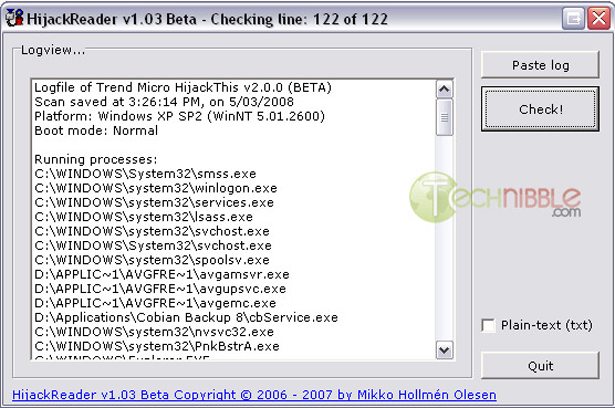
Hijack Rreader Application
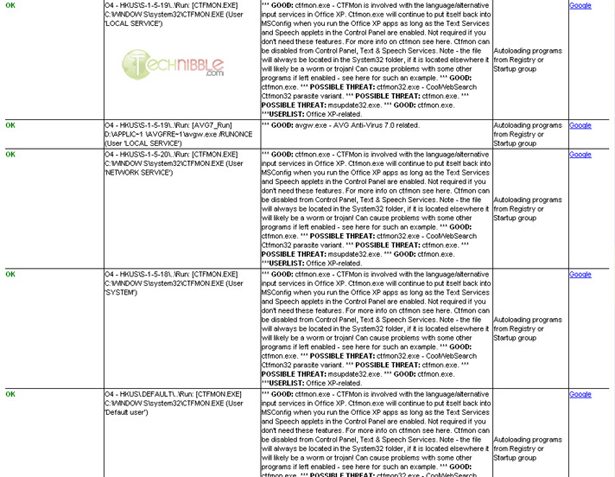
HTML Output of Hijack Reader
Downloads:
Session expired
Please log in again. The login page will open in a new tab. After logging in you can close it and return to this page.
The sites are great. I am so thankful to have a tool that can run without internet. I run vlans on my bench but I still try to keep them off the internet until my tools run at least once. Log transfer sucks.
Very cool…new tool to add to my flash drive for customer repairs! Thanks for this!
We have been needing this tool for years.
I find the whole thing kind of funny….especially when you consider that Bill Gates sold the original Windows OS on the Asian market for a couple of years
Ok…Ignore my last post. This is what happens when you have too many IE tabs open at once 20 minutes after getting out of bed
Thats a very cool tool. I’m going to give that a go. I had a problem with my machine and created a hijack this! log, then I was like what the …… This could seriosuly help me.
Thanks again
I can read the logs and make some sense of them I usually just hate to read through them due to how cluttered they appear. Its ugly to look at and makes it harder to read. If it looked cleaner more people would decipher thier own logs.
Thanks for this…great time saver.
Ive just started using Hijack this and I have been trying to learn more about the log. this will be a great help. Thanks
This software has been around for some time. I have a book titled ‘Steal this Computer book 4.0’. It contains a huge amount of details on hacking methods and techniques to thwart the enemy. I believe this is excellent software to promote.
Another invaluable resource to add to the flash drive…thanks Bryce. Even though I might recognize most of the log entries, it’s always nice to a) have confirmation, and b) have another report to show the client if they’re interested in what the computer is running.
Nice, but not great.
I wouldn’t just delete stuff based on the findings.
If you don’t know what files are required by your system, you might cause one or two programs to stop working. This based on the results of the analysis of my main system.
It is a good way to get past known good stuff, but I’d still google the ones it tells you to fix, and read what else it MIGHT be.
Now that’s gonna be helpful!
10x alot guys it’s helpfull
The download link is currently broken (as of 10:36 PM on Thursday, January 22, 2009).
Try the mirror at MajorGeeks listed on his site.
http://www.hollmen.dk/content/view/69/31/