
- You are here:
- Home »
- Blog »
- Computer Technician Tools »
- DriveImage XML – Create Backup Images of a Drive or Partition
DriveImage XML – Create Backup Images of a Drive or Partition
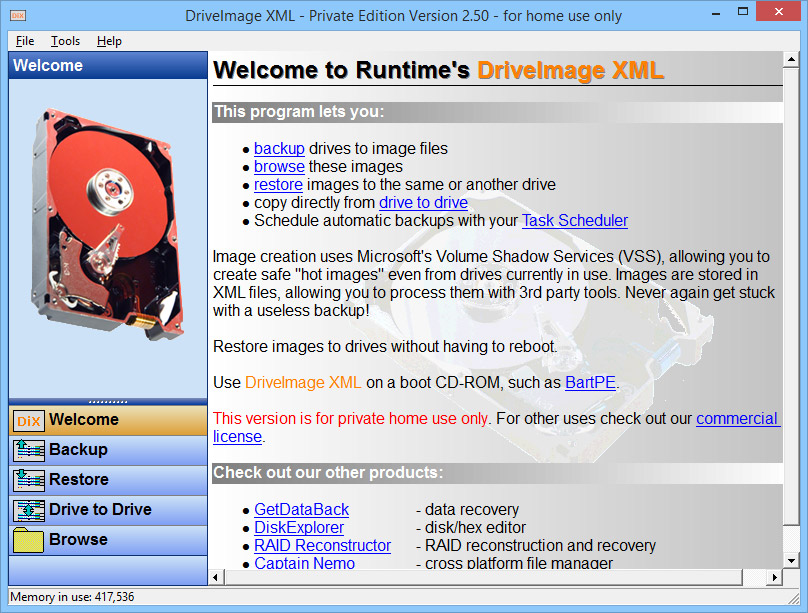
DriveImage XML is a free, stand alone application for making a complete backup image of any logical drive or partition, allowing you to backup/restore an entire operating system.
The application also includes an image explorer allowing you to view the files inside the backup file created and extract individual files (Im sure plenty of us have left a file behind at some point).
A really neat feature about this backup imaging tool is that it can use volume locking or shadow locking to create backups from within Windows, without the need to reboot. DriveImage XML also stores your data in .dat files using the XML format which allows you to use them in 3rd part applications. Works on Windows XP, 2003 and Vista.
Screenshot:


Downloads:
Session expired
Please log in again. The login page will open in a new tab. After logging in you can close it and return to this page.
We use cookies to help you navigate efficiently and perform certain functions. You will find detailed information about all cookies under each consent category below.
The cookies that are categorised as "Necessary" are stored on your browser as they are essential for enabling the basic functionalities of the site.
We also use third-party cookies that help us analyse how you use this website, store your preferences, and provide the content and marketing materials that are relevant to you. These cookies will only be stored in your browser with your prior consent.
You can choose to enable or disable some or all of these cookies but disabling some of them may affect your browsing experience.
We use third-party cookies that help us analyse how you use this website, store your preferences, and provide the content and marketing materials that are relevant to you. However, you can opt out of these cookies by checking "Do Not Sell or Share My Personal Information" and clicking the "Save My Preferences" button. Once you opt out, you can opt in again at any time by unchecking "Do Not Sell or Share My Personal Information" and clicking the "Save My Preferences" button.
Your opt-out settings for this website have been respected since we detected a Global Privacy Control signal from your browser and, therefore, you cannot change this setting.

Has anyone tried this on Vista yet?