
- You are here:
- Home »
- Blog »
- Computer Technician Tools »
- OLK Finder & OutlookAttachView – Outlook Companion Tools
OLK Finder & OutlookAttachView – Outlook Companion Tools
For this weeks repair tool of the week I am going to be mentioning two applications that compliment each other and manage the attachments in the email application “Outlook”.
OLK Finder
OLK Finder is a small, portable and freeware utility that lets you find the temporary folder where Outlook puts its email attachments. You see, when you open an attachment that is considered safe, Outlook places these attachments in a sub directory under your Temporary Internet Files directory as an extra precaution. The advantage of using this tool is when you or your client accidentally delete an email attachment by mistake, the attachment can often be retrieved from this folder.
OutlookAttachView
Outlook Attach View is a small, portable and freeware application designed to find and list all the emails in Outlook that have an attachment. You can then easily select one or more attachments and export all of them to a folder. You can also sort the attachments by size and find the ones which are taking up the most space in the Outlook database. It can also provide a little bit of information about the email that the attachment came with such as who it was from, the subject and the date it was received. Its a great little tool for cleaning up an Outlook database.
Thanks to the forum member AtYourService for recommending these.
Screenshots:
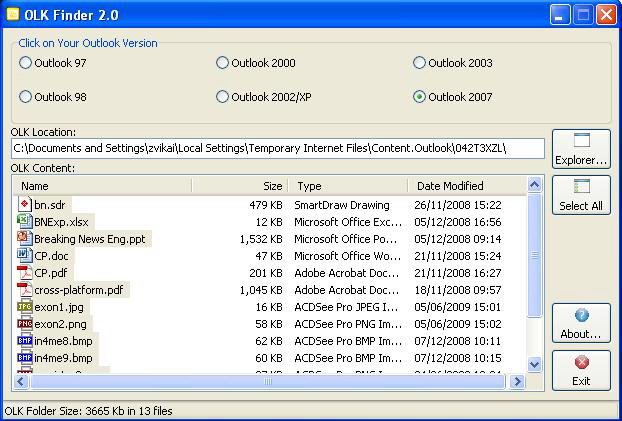
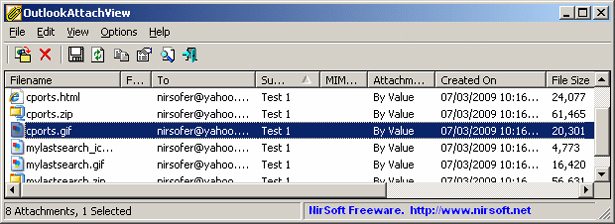
Downloads:
Download OLK Finder from Softpedia – 565kb
Download OutlookAttachView from Official Site – 79.5kb
Session expired
Please log in again. The login page will open in a new tab. After logging in you can close it and return to this page.
Unfortunately neither OLKFinder or OutlookAttachView work on my computer. I use Outlook 2000 on Windows XP Home SP3. I select “Outlook 2000” in OLKFinder and it says it cannot find thee Outlook installation. In OutlookMailAttach I just get a blank (empty) list after starting, it appeears not to scan anything.
I use Outlook 2000 in “Internet mail only” mode, but I have about 1300 emails stored along with many attachments.
These tools would be useful, does anyone else have a solutuion or similar problems?