
- You are here:
- Home »
- Blog »
- Computer Technician Tools »
- Kill All Running Apps .BAT
Kill All Running Apps .BAT
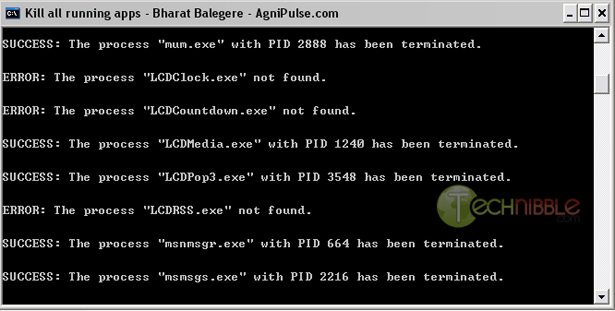
The title pretty much says it all. This .BAT file will kill all currently running apps on a system that the user started with the exception of a few locked Windows processes and some antivirus products. This comes in handy when you are working on a system that has too many processes running and thus slowing it down; often to the point where its difficult to do any work on it.
Being a BAT file, this script is obviously highly customizable. It works on a “if the process is not in this list, then kill it” system; so you can add processes to the list that you do not to be killed such as the menu for your USB drive applications or Firefox.
For information on how to add processes to it, check out the official page.
Screenshots:
Downloads:
Download from Technibble (right click, save as) – 4kb
Download from Official Site – 4kb
Special thanks to the forum member Methical for recommending this one.
Session expired
Please log in again. The login page will open in a new tab. After logging in you can close it and return to this page.
Note this will only kill processes running that were started by the user, meaning it won’t kill anything from the system resulting in a BSOD.
Jimmy James, you are right. Updated the post.
Your welcome ! Here it is in .vbs format:
https://www.technibble.com/forums/showthread.php?t=10254
I was trying to run a .bat using KillProcess and relative paths (to run from the thumb drive)
So far this is what I got (you can copy this to notepad and save as .bat)
“\PortableApps\KillProcess\KillProcess.exe \PortableApps\KillProcess\CleanXP.lst silent”
Still haven´t managed to get to work the “reverse kill list” (kill everything except included process in the list). Maybe it´s just not supported from command line.
I’ve tried kill.bat on two computers and I get the same error message:
‘Tasklist’ is not recognized as an internal or external command, operable program or batch file.
Press any key to continue.
Am I missing something?
@Perry
Tasklist is a command that is not available in Windows XP Home( Available in XP Pro + ).
Google “tasklist for xp home” and you can find an available download. IIRC, you’ll need to modify the .bat file to run tasklist.exe instead of running tasklist.
Great list of top rated bats for sure!