Your laptop keeps warning you that the drive is almost full, or it takes forever to open a Web browser, so you decide it's time for more memory or a bigger drive. You look up the price, then check again somewhere else in case the first site got it wrong, only to find the same upgrade that seemed like a cheap fix a year or two ago now costs several times as much.
Why computer parts cost so much right now
The short answer is artificial intelligence, because the companies building AI systems need huge data centers, and those data centers need enormous quantities of memory chips. Chipmakers have shifted production toward these customers because they pay more, which leaves far less supply for the parts that go into everyday computers.
The effect reaches almost everything inside your computer: memory (RAM); storage drives, including both newer solid-state drives and traditional hard drives; and graphics cards. Industry forecasts suggest prices will stay high well into next year, so waiting it out isn't much of a plan.
Why buying a new computer isn't the easy way out
When a part gets expensive, many people figure they'll skip the upgrade and just buy a new computer. The problem is that new computers are built from the same parts, so their prices are also climbing. Manufacturers are also quietly trimming budget models, giving you less memory and storage for the same money. That means a cheap new laptop today can easily be a step down from the one you already own, so before you spend money on anything, it's worth knowing there are usually cheaper ways to get your computer running well again.
A full drive doesn't always need a bigger drive
A "disk full" warning is one of the most common reasons people start shopping for storage, but much of that space is often wasted. Leftover update files, temporary files, duplicate photos, old downloads, and programs you haven't opened in years all add up. A proper cleanup, along with moving large photo and video collections somewhere more sensible, can free up enough room that a new drive becomes unnecessary, and it often speeds things up, too.
Fix the part, keep the computer
When one component fails, it's easy to assume the whole computer is finished, but in most cases it isn't. A worn-out battery, noisy fan, loose charging port, faulty keyboard, or cracked screen can usually be replaced on its own for far less than a new machine costs, especially now. If a drive is starting to fail, getting your files off it before it stops completely matters more than anything else, and a replacement drive can then be fitted into the computer you already know.
Second-hand parts can save you plenty
Tested, pre-owned memory, previous-generation drives, and older graphics cards can cost far less than new parts while still giving you a noticeable improvement, but the catch is buying them yourself. Online marketplaces are full of parts that don't fit your computer, parts with no history or warranty, and fake storage drives that report more space than they actually have. The fake drives are especially nasty, because they seem to work fine until your files start disappearing.
That's why it pays to have someone who knows where source and how to test the part for you, so you get the savings without the gamble.
Upgrade only what will actually help
At today's prices, buying the wrong part is an expensive mistake. A slow computer might need more memory, a faster drive, a cleanup, or simply a fix for something running in the background, and it's hard to tell which from the outside. Sometimes going from 8GB to 16GB of memory makes an old computer feel new again, whereas a bigger upgrade would've cost more and changed very little. For gamers, a previous-generation graphics card often delivers most of the performance for a fraction of the price.
Talk to us before you spend
Before you replace your computer or pay today's prices for a part, bring it in or book a check-up with us. We'll find out what's really slowing it down or causing the problem, then tell you honestly whether a cleanup, a repair, or a well-chosen upgrade will do the job. That way, your money goes toward a fix that actually works.
Blog Content
Email Templates
Social Media
Social Media Tech Bytes

Needing a little more memory used to be a cheap fix, but today's prices can stop you in your tracks.

Buying a new laptop seems easier until you notice it has less memory than the one you already own.
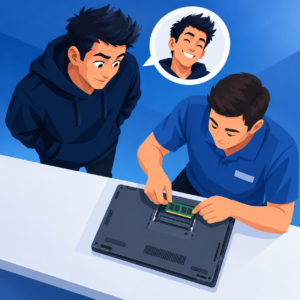
A cleanup, a quick repair, and a tested second-hand part can have your computer running like new.

Before you pay today's prices, talk to us first and we'll find the fix that actually works.
Download Tech Bytes pack (*.zip)
This content is part of October 2026 release.