NETWizz
Well-Known Member
- Reaction score
- 2,052
I am working on making Air Print work via CUPS print server on Pi running Free BSD as a Port to what I was running on Linux (from the Raspberry Flash utility).
My issues thus far have been moderate, but I decided I am abandoning Pi Linux because there is no solid method to move between distributions as an in-place upgrade.
For example, I was running Bullseye years ago and upgraded (had to reflash) to Debian Bookworm. Yes, there are hack-ish ways to update repositories and sort of force it but in my experience it just breaks the distribution where dependencies do not work right.
Sure a reflash is cake, but then you have to spend hours reconfiguring everything again from scratch! at a minimum installing the packages and putting the configurations back.
As of a bit ago, Raspberry released Debian 13 Trixie (codename from Toy Story). I have been running Bookworm, which goes EOL in June per Debian assuming Raspberry even supports it that long.
Long story short, I decided if I am going to roll my own build that I would actually like to try FreeBSD instead...
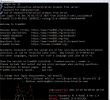
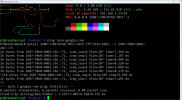
Thus far just setting up accounts, and networking, time sync, Partitions, time sync, and my prompt (I changed to Bash from Sh because the color options are better), and then my system info I like to display on logon... the list just keeps going.
Overall the system is a pain in about every way.
I even fixed the IPv6 stack for alignment with the rest of my network
Why am I doing this on FreeBSD?:
FreeBSD’s strength is that it is engineered and supported as a single, coherent operating system rather than an assembly of parts. The kernel, userland, release cycle, documentation, and security advisories are all developed and maintained together, which leads to predictable upgrades, long support lifecycles, and fewer surprises over time. Its permissive BSD license also makes it especially attractive for long-lived infrastructure and embedded systems, where stability, security, and freedom to reuse matter more than rapid churn. Yes, I love that Linux, too which excels in breadth and differentiation, but FreeBSD often wins when consistency and longevity are the priority. I have personally seen FreeBSD server systems upgraded annually from 6.x to 14.x over maybe a decade.
Thus far the worst thing is that I do NOT have the proper HDMI cable, so I had to figure out how to make it headless, which meant I had to edit the initial .img before flashing it.
I did that in Hyper-V via GhostBSD (a live boot DVD of FreeBSD).
It sounds easy enough, but I had to add a virtual disk, so I could download then extract the .img.xz file for FreeBSD
These are the commands (I couldn't copy/paste, so outputs are all typed by me and many missing):
geom disk list
gpart show da0
gpart destory -F da0
gpart create -s da0
diskinfo da0
gpart create -s gpt da0
gpart show da0
gpart add -t freebsd-ufs -l datalabel da0
sudo newfs -U /dev/gpt/datalabel
mkdir -p /mnt/datalabel
mount /dev/gpt/datalabel /mnt/datalabel
chown ghostbsd /mnt/datalabel
mdconfig -lv
mdconfig -a -t vnode -f /mnt/datalabel/something.img
md2
gpart show md2
md2p2 for example is the ffreebsd partition
mkdir -p /mnt/pibsd
mount -t ufs /dev/md2s2a /mnt/pibsd
umount /mnt/pibsd
mdconfig -lv
mdconfig -d -u 2
Yes, it is like find a disk, create geometry, add a GPT disk label, add a GPT label and FS label within, then create the File System and mount it.
... Then add my logged on user to it, so I could write to it without using root.
After that, mounting a block device was easy with mdconfig. My next hurdle was looking at the world's worst partition utility called gpart.
It is like having partition tables, BSD labels, and slices, then sub slices.
It works like this Disk ==> /dev/da0 ==> MBR or GPT ==> Slice 1 ==> BSD Disklabel ==> Partition a (mounted at /)
So Slice 1 is like what another OS would call a partition.
On the same disk you could have Disk ==> /dev/da0 ==> MBR or GPT ==> Slice 2 ==> (Windows, 0x07)
What is crazy is that it actually pushes the File System data out (to account for the space the Disk label takes up).
***
When I tried backing up and restoring my memory card to test, I used Macrium Reflect X... It works excellent with Raspberry Pi Linux even understands Ext4.
It showed a full FS for the Free BSD filesystem and backed up liek a 128 GB file.... Fine. It also took over an hour to put it back because it wsa copying free-space. What it did wrong was break Geom, break the BSD disk labels, re-align partitions, and put the wrong Partition Hex Type!
I should have backed up my work! It was crazy work to recover my data!
I ended up make a dd raw image and bring it into Live boot Linux where I used Sleuth Kit (nmls).
I manually corrected the hex value to A5 because Fdisk saw partitions (slices), but it does NOT understand FreeBSD Geometry.
Here was nmls's output:
DOS Partition Table
Offset Sector: 0
Units are in 512-byte sectors
Slot Start End Length Description
000: Meta 0000000000 0000000000 0000000001 Primary Table (#0)
001: ------- 0000000001 0000000127 0000000127 Unallocated
002: 000:00 0000000128 0039065599 0039065472 FreeBSD (0xA5)
What that told me is that the UFS file system started 128 sectors * 512 bytes or 65536 LBAs in
This was my mount command that finally worked without giving me superblock errors and refusing to mount!
sudo mount -t ufs -o ro,ufstype=ufs2,offset=65536 /dev/sdX /mnt/ufs
It has been a learning experience... other than raw wright/read, I have no idea how to back it up. I just make a 100+ GB partition and compress it to like 600 Mb (free space compresses great).
My issues thus far have been moderate, but I decided I am abandoning Pi Linux because there is no solid method to move between distributions as an in-place upgrade.
For example, I was running Bullseye years ago and upgraded (had to reflash) to Debian Bookworm. Yes, there are hack-ish ways to update repositories and sort of force it but in my experience it just breaks the distribution where dependencies do not work right.
Sure a reflash is cake, but then you have to spend hours reconfiguring everything again from scratch! at a minimum installing the packages and putting the configurations back.
As of a bit ago, Raspberry released Debian 13 Trixie (codename from Toy Story). I have been running Bookworm, which goes EOL in June per Debian assuming Raspberry even supports it that long.
Long story short, I decided if I am going to roll my own build that I would actually like to try FreeBSD instead...
Thus far just setting up accounts, and networking, time sync, Partitions, time sync, and my prompt (I changed to Bash from Sh because the color options are better), and then my system info I like to display on logon... the list just keeps going.
Overall the system is a pain in about every way.
I even fixed the IPv6 stack for alignment with the rest of my network
Why am I doing this on FreeBSD?:
FreeBSD’s strength is that it is engineered and supported as a single, coherent operating system rather than an assembly of parts. The kernel, userland, release cycle, documentation, and security advisories are all developed and maintained together, which leads to predictable upgrades, long support lifecycles, and fewer surprises over time. Its permissive BSD license also makes it especially attractive for long-lived infrastructure and embedded systems, where stability, security, and freedom to reuse matter more than rapid churn. Yes, I love that Linux, too which excels in breadth and differentiation, but FreeBSD often wins when consistency and longevity are the priority. I have personally seen FreeBSD server systems upgraded annually from 6.x to 14.x over maybe a decade.
Thus far the worst thing is that I do NOT have the proper HDMI cable, so I had to figure out how to make it headless, which meant I had to edit the initial .img before flashing it.
I did that in Hyper-V via GhostBSD (a live boot DVD of FreeBSD).
It sounds easy enough, but I had to add a virtual disk, so I could download then extract the .img.xz file for FreeBSD
These are the commands (I couldn't copy/paste, so outputs are all typed by me and many missing):
geom disk list
gpart show da0
gpart destory -F da0
gpart create -s da0
diskinfo da0
gpart create -s gpt da0
gpart show da0
gpart add -t freebsd-ufs -l datalabel da0
sudo newfs -U /dev/gpt/datalabel
mkdir -p /mnt/datalabel
mount /dev/gpt/datalabel /mnt/datalabel
chown ghostbsd /mnt/datalabel
mdconfig -lv
mdconfig -a -t vnode -f /mnt/datalabel/something.img
md2
gpart show md2
md2p2 for example is the ffreebsd partition
mkdir -p /mnt/pibsd
mount -t ufs /dev/md2s2a /mnt/pibsd
umount /mnt/pibsd
mdconfig -lv
mdconfig -d -u 2
Yes, it is like find a disk, create geometry, add a GPT disk label, add a GPT label and FS label within, then create the File System and mount it.
... Then add my logged on user to it, so I could write to it without using root.
After that, mounting a block device was easy with mdconfig. My next hurdle was looking at the world's worst partition utility called gpart.
It is like having partition tables, BSD labels, and slices, then sub slices.
It works like this Disk ==> /dev/da0 ==> MBR or GPT ==> Slice 1 ==> BSD Disklabel ==> Partition a (mounted at /)
So Slice 1 is like what another OS would call a partition.
On the same disk you could have Disk ==> /dev/da0 ==> MBR or GPT ==> Slice 2 ==> (Windows, 0x07)
What is crazy is that it actually pushes the File System data out (to account for the space the Disk label takes up).
***
When I tried backing up and restoring my memory card to test, I used Macrium Reflect X... It works excellent with Raspberry Pi Linux even understands Ext4.
It showed a full FS for the Free BSD filesystem and backed up liek a 128 GB file.... Fine. It also took over an hour to put it back because it wsa copying free-space. What it did wrong was break Geom, break the BSD disk labels, re-align partitions, and put the wrong Partition Hex Type!
I should have backed up my work! It was crazy work to recover my data!
I ended up make a dd raw image and bring it into Live boot Linux where I used Sleuth Kit (nmls).
I manually corrected the hex value to A5 because Fdisk saw partitions (slices), but it does NOT understand FreeBSD Geometry.
Here was nmls's output:
DOS Partition Table
Offset Sector: 0
Units are in 512-byte sectors
Slot Start End Length Description
000: Meta 0000000000 0000000000 0000000001 Primary Table (#0)
001: ------- 0000000001 0000000127 0000000127 Unallocated
002: 000:00 0000000128 0039065599 0039065472 FreeBSD (0xA5)
What that told me is that the UFS file system started 128 sectors * 512 bytes or 65536 LBAs in
This was my mount command that finally worked without giving me superblock errors and refusing to mount!
sudo mount -t ufs -o ro,ufstype=ufs2,offset=65536 /dev/sdX /mnt/ufs
It has been a learning experience... other than raw wright/read, I have no idea how to back it up. I just make a 100+ GB partition and compress it to like 600 Mb (free space compresses great).
Last edited: