HTPC

Paul Rodgers

Well-Known Member
Reaction score
57
So it's been a long time since I've done a build and I'm kinda thinking about doing a htpc that I can load up with movies and tv shows since my internet is kinda crap. Would like to use a streacom fc10 alpha case which supports mini itx - micro atx - atx motherboards.

Want to go with an intel processor (I'm thinking i5 skylake). Probably a smallish SSD for booting and I'll setup a NAS for my storage needs. Other than that idk where to start anymore. I'm guessing that I really don't want to screw around with a full atx board and that I should probably stick with onboard video.

Who should I look at for motherboards these days? I want nvidia graphics. I'll have 240 watts to play with.
 
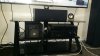
You dont need highend stuff for an HTPC. Check the image of mine.

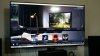
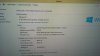
It has an Intel processor, ASRock H97M-ITX/ac, 8GB memory, LG Blu-Ray and a NVidia GT640 connected using HDMI housed in a Cooler Master 130 elite. PSU is a EVGA 430W 80+, though it never pulls more than 200 at full load. Windows 8.1, 120GB SSD for boot and programs and 2 TB HDD as storage. I have Plex media server and Kodi installed. And thats a 65" smart TV so I have all the apps too. I spent just over $250 on my media center and it is serving me well.

cpu.jpeg tv.jpeg spec.jpeg
 
Last edited:
To add. I have a Sony receiver and Polk Audio speakers and 2 Sony powered subs. I run 7.2 Atmos and its amazing.I cut my cable cord a year ago and that saved me $80/month so the money I spent on my setup was paid for (so to speak). Although that does not include the $1500 TV which my wife bought that to me for a gift because I bought the freaking house :D Some trade off eh?

Polk speakers was just over $450 and the 2 subs were $100 each. Receiver was $300 off Amazon NEW. Why am I telling you this? Because like I said, you dont need high end stuff to have quality sound. I can only get my system to level 40 before stuff starts falling off the walls and the house starts shaking. Placement and tuning is key.

I still pay the cable company for internet and a land line phone at $98/month for 150 meg connection and unlimited bandwidth. Oh yeah, the HTPC is wireless and has no issue with lag from the internet.
 
So it's been a long time since I've done a build ...
Beware of tunnel vision! We all know how fast IT stuff changes and the 'golden rule' from even a couple of years ago may no longer be valid.

Rather than starting with a wishlist of brands, I'd suggest setting out a performance goal. For example, if you're going to be watching DVD and (SD? HD?) TV content, on-board graphics may be fine. Don't bother trying to future-proof your hardware – by the time you want to add Bluray, 4K TV, the motherboard will be ancient in tech terms.

Late extra: if you're anticipating spending that much on a case, you can ignore all of the above – I'd want the whole system for that price, possibly with some change. :eek:
 
That case is beautiful and would last forever. Plus I can get IR and a slot load bd without it looking messy. Besides this thing is going to get lots of use.
 
What addon is that for Kodi? @Your PCMD

Looks like the one I installed last Sunday, running Kodi off my Amazon Fire Stick. I had never gotten into it until then. lol I know I was missing out.
 
What addon is that for Kodi? @Your PCMD
Use the source from http://fusion.tvaddons.ag/

1. Open Kodi and slide over to your SYSTEM menu. From the drop down go to FILE MANAGER
2. Inside File Manager we want to ADD SOURCE
3. For the path we need to type in the Fusion URL which is http://fusion.tvaddons.ag, name it something like Fusion or .Fusion (I use a period so it appears at the top of my directories)
4. Go back to the main Kodi menu and back to SYSTEM. This time choose SETTINGS.
5. Select ADD-ONS
6. Choose INSTALL FROM ZIP FILE
7. On the slide out menu we want to choose .FUSION
8. I typically just use the addon installer it works the best. To do this go to the “START-HERE” folder and inside select the “PLUGIN.PROGRAM.ADDONINSTALLER
9. Let the plugin install, once it’s complete you should get a notification saying so. To start installing addons like Exodus simply browse to the PROGRAMS menu from the home screen and choose ADDON INSTALLER
 
my htpc uses a 2nd hand sandybridge I3 with a smallish SSD, I stream all my movies from my NAS over my network.
boots straight into Kodi, has gotten even more use now my daughter has got a little older (just turned 2) as she will now sit and watch films (or peppa bloody pig) on it quite happily :)
 
Back
Top