
Emac mouse clicker not working

johnrobert

Well-Known Member
Reaction score
264
Location
Vancouver BC
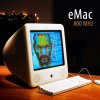
I have an old Apple EMAC computer. The mouse clicker is not working; the mouse cursor moves around, but when I click on something, nothing happens, could this be because I am using a modern Windows USB mouse? I tried a different one. The original mice for these look different
 

Attachments

  • mouse2.jpg
    mouse2.jpg
    73.1 KB · Views: 2
I somewhat have a memory of that being an issue (a PC mouse on Mac) - but it's been so long, I don't know if I'm making it up/thinking wrong.
 
As long as the mouse uses an actual switch, like a leaf switch, then they are all the same for a basic mouse. Not so for gaming. It's when they are "swipe" or "touch" that there can be a difference. Keyboards are the same as well of the most part. The keys use the same codes even though the label on the key is different. A classic example is the Windows key on a Wintel keyboard maps to the Command key on an Apple keyboard. I haven't used a Apple KB or mouse for like 10-15+ years.

What version of macOS are you running? I seem to remember that the original mouse for the eMac was one with a full cover that you could push down to click and had an optical sensor for movement. Have you tried different ports? What about booting in safe mode?
 
Thanks Mark,

Good idea, I thought it might need a dedicated mouse as it looks quite a bit different. I will try Safe mode.

Another question, the client also has a Macintosh SE I think it has a scsi HD
When turned on I get a message hard drive is damaged and asking me if I want to initialize

They say the info on these 2 computers is very important, can't imagine why after 40 plus years
In the case of the Macintosh, I see the only option would be to pull the HD and send it for data recovery.
its not like taking a HD out of a tower.

As for the Emac, if I can't get the mouse to work, I could pull HD and connect it to a newer Mac?
 
Wow, Macintosh SE. That'd be quite a challenge. May not need a full recovery lab's involvement but I'm not 100%. If you could get the drive out and connect it to another system you might be able to easily read the data. Opening a Mac SE is a bitch. I remember there was a special spreader tool needed (required?) to get the case opened. I wouldn't know where to begin connected a 90s era SCSI drive to another computer.
 
I'll start with the SE. Yes they are SCSI and seem to remember it's a 50 pin ribbon. To open lay it screen side down and I think you'll need a long shafted hex. And by long I'm talking about maybe 10-12". After that I seem to remember that you just have to lift the back cover off. This does have a regular tube monitor. Just like TV's it can store very high voltage for a while. So be careful. Be aware that data recovery may be difficult if they need to repair the drive. Parts will be very rare and therefore expensive.


Back to the eMac. You never said what OS was it running. Is the KB working? How is it hooked up? Those used IDE drives. Removing the cover was relatively easy. Face down and remove the stainless steel screws around the machine. Be careful though. I seem to remember that there were some wires involved.
 
Thanks, I will take another look next week. When we look into the cost of the SE, they will hopefully have second thoughts.
 
Back
Top