Computer doesn't boot. Just one long beep.

Arcadio

New Member
Reaction score
1
In my experience, this is a memory problem. I've tried looking for beep codes, but can't find any. The motherboard is an A7V8X-LA. There are two ram sticks plugged in. I removed one, same problem. Removed the other one and plugged the first one, same problem. Is it safe to say that the problem is not the memory? I also tried one other working memory stick.

Chances of it being the processor are very small. I also unplugged all cards, add-ons, etc. Also, I cleared the CMOS...

Is it safe to say that the motherboard is the culprit?
 
Does the beep code change when no ram plugged in and again with no CPU?

Does the MB have the 20V 4pin connector and have you attached the PSU to it?
 
Last edited:
gentlemen check your keyboards

just throwing the posibility out there

edit 20v 4pin the maximum on a single wire in a pc is 12v do you mean the cable thats 20pin with the 4pin p4 cable
 
Last edited:
just an idea..


each manufacturer's "beep codes" are different - you gotta download the manual from their website (if you don't have it handy, which you probably don't have cuz its not your computer)

from the mobo manual you can find what that particular beep code means
 
When I take the CPU out, there is no beep. Fan runs normally.

When I take out the memory: same long beep. Then pause, then long beep again. Exactly the same as when the memory is in.

I tested the PSU, and it's working fine. I also used another PSU. Same thing.
 
just an idea..


each manufacturer's "beep codes" are different - you gotta download the manual from their website (if you don't have it handy, which you probably don't have cuz its not your computer)

from the mobo manual you can find what that particular beep code means

This is a MUST.
 
Did it ever work or is this a new combination of components?
I'd look up the board and check supported processor, memory and ensure you have those. are there any jumpers that may be incorrect?

I got a pc for "free" once, not booting. It had a faster than supported processor installed.
 
I've had this happen when someone tried to install ECC RAM in a non-ECC supporting board. Make sure your RAM is compatible. You stated you took it out and put it back, did you try DIFFERENT RAM as well?
 
When I take the CPU out, there is no beep. Fan runs normally.

When I take out the memory: same long beep. Then pause, then long beep again. Exactly the same as when the memory is in.

I tested the PSU, and it's working fine. I also used another PSU. Same thing.

in this case there is something wrong whit memory slot or somewhere on the board no communication with RAM

if you can try different MB
 
In my experience, this is a memory problem. Is it safe to say that the problem is not the memory? I also tried one other working memory stick.

QUOTE]

Memtest 86+ will answer that question for you. To properly diagnosis, plug your post card in and match the codes - standard operating procedure. At the very least get the beep codes from the Bios/M/B manufacturer....
 
Get the manual from ASUS.com

There are three different models none of them are "LA"
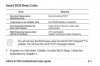
here is a clip for the beep codes.

The board is dated. Perhaps its time to toss it.
 

Attachments

  • Capture.jpg
    Capture.jpg
    20 KB · Views: 65
I did more research. Now you have drivers and motherboard manula from the ASUS website.......

The A7V8X-MX is the same as the HP OEM A7V8X-LA. Drivers

Goodluck my friend.
 
Back
Top