

Anyone here familiar with BTnet's Cisco Meraki Managed CPE (Customer Premises Equipment)?
I have a few larger business customers with BTnet fibre but those installations use the Cisco 4000 Series Integrated Services Routers and the older Cisco 2900 Series Integrated Services Routers. The ISR units provide no LAN routing, just a WAN port to which the customer's own router/gateway connects, providing one or more public IP addresses to the router directly.
BT now seem to be offering a more affordable BTnet fibre service to some of my smaller business customers, which implements the aforementioned Cisco Meraki Managed CPE.
From a BTnet proposal email:
tl;dr:
Could someone who is familiar with this type of BTnet installation confirm whether the Cisco Meraki device can also be used to provide a customer's own router/gateway with direct WAN access?
Many thanks in advance.
I have a few larger business customers with BTnet fibre but those installations use the Cisco 4000 Series Integrated Services Routers and the older Cisco 2900 Series Integrated Services Routers. The ISR units provide no LAN routing, just a WAN port to which the customer's own router/gateway connects, providing one or more public IP addresses to the router directly.
BT now seem to be offering a more affordable BTnet fibre service to some of my smaller business customers, which implements the aforementioned Cisco Meraki Managed CPE.
From a BTnet proposal email:
It seems to me that this latest offering from BT is more akin to the domestic 'BT hub' solution and is intended to replace the customer's own router/gateway device.When your BTnet service is installed it will terminate on a BT-provided Cisco Meraki Managed CPE (Customer Premises Equipment) and you will be allocated a range of external IPv4 addresses that you have requested at the time of your order.
The Cisco Meraki device will automatically assign a private internal IP address to any device that you connect to it via LAN cable or Wi-Fi, so there is no configuration for you to do. The managed CPE will translate the public address to multiple private addresses automatically.
tl;dr:
Could someone who is familiar with this type of BTnet installation confirm whether the Cisco Meraki device can also be used to provide a customer's own router/gateway with direct WAN access?
Many thanks in advance.

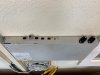


 Had to run a new cable up there to connect it.
 Although the IP information emailed by BT didn't match what the Cisco Meraki was using so I just copied those settings on the customers firewall and it's been working fine.


