
- You are here:
- Home »
- Blog »
- Announcements »
- 5 Reasons to Partner with Managed Print Services
5 Reasons to Partner with Managed Print Services
This is the digital age, and no matter your industry, it’s safe to say there has been digital transformation. Yet there’s still a need for printers and paper copies, and it might be time for you to partner with a managed print services (MPS) provider.
An MPS provider is a third party that handles document printing with more efficiency. They manage printing services to find savings, maximize productivity, and to also ensure security. You get expert help with your business printer technology and usage.
So now let’s consider the benefits of partnering with an Managed Print Services Provider.
5 Benefits of Managed Print Services
#1 Matches Your Printer Equipment to Your Business Needs
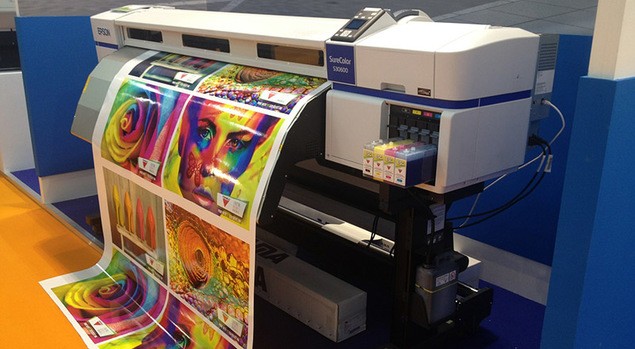
You might have a highly capable printer, with the operating costs to match, that your business doesn’t need. An accounting firm needs a different printer from a graphic design outfit. The numbers folks might get away with a desktop office printer, whereas those working with fuchsia, salmon, and coral pinks need a high-quality color printer. The MPS provider can identify the best copier for every budget and different needs.
#2 Manage Print Service Providers Know How to Identify Cost-saving Opportunities
You know your business, and you know it well. An MPS has insight into the value of different printer features for your environment. They make recommendations to increase productivity and reduce costs related to printers.
As an example, you might have two printers on each floor of your business. One is in constant use, while the other is seldom touched and in great condition. Instead of overworking a costly printer, the MPS knows when to rotate your equipment. This can avoid downtime and extend the equipment lifecycle.
Or you may be overburdening your office printer. Some jobs are less expensive and faster using an off-site business printing company.
An MPS provider can also negotiate printing supply contracts to reduce operating costs.
#3 Positions You for Greater Printer Efficiency
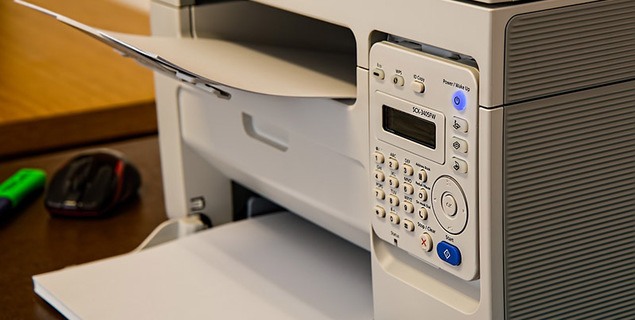
This involves replacing legacy equipment, upgrading printers, or moving them within the office. An MPS provider starts out by getting to know your business and then taking a careful look at your printing output.
Using the tools in printer technology today, the MPS will be able to customize reports for you to review:
- what printers are used most;
- who is using printers most;
- what departments are using more paper;
- which teams often send in print jobs at the same time;
- which teams are printing in color, not black and white;
- who needs high-quality printing for external audiences;
- who needs fast, high-quantity printing;
- which high-traffic machines are at risk of maintenance issues;
- which printers/copiers are underutilized.
Armed with this data, they can streamline printer placement and make workflow recommendations.
#4 Frees Up Your Team’s Time and Energy
With an MPS provider involved, you have one point of contact for all printer/copier concerns:
- If you’re an office with more than one brand of printer, you don’t have to deal with different manufacturers.
- The MPS provider also makes sure toner, paper, and other supplies are available.
- The IT team no longer has to spend time dealing with printer devices because the MPS provider takes care of it all.
#5 Managed Print Services Can Optimize Your Printer Technology
When printing, you know how to navigate the print screen and push the button to start your job. An MPS also manages print issues and introduces preventative maintenance to avoid costly downtime. The MPS provider knows so much more about printer capabilities. And on top of that, they can configure remote printers for staff mobile devices or off-site.
If you want a healthy business, then an MPS provider can help keep your printers healthy, and productivity high.
Save your employees from wasting time on printing-related tasks. We can help. Contact us today!
We use cookies to help you navigate efficiently and perform certain functions. You will find detailed information about all cookies under each consent category below.
The cookies that are categorised as "Necessary" are stored on your browser as they are essential for enabling the basic functionalities of the site.
We also use third-party cookies that help us analyse how you use this website, store your preferences, and provide the content and marketing materials that are relevant to you. These cookies will only be stored in your browser with your prior consent.
You can choose to enable or disable some or all of these cookies but disabling some of them may affect your browsing experience.
We use third-party cookies that help us analyse how you use this website, store your preferences, and provide the content and marketing materials that are relevant to you. However, you can opt out of these cookies by checking "Do Not Sell or Share My Personal Information" and clicking the "Save My Preferences" button. Once you opt out, you can opt in again at any time by unchecking "Do Not Sell or Share My Personal Information" and clicking the "Save My Preferences" button.
Your opt-out settings for this website have been respected since we detected a Global Privacy Control signal from your browser and, therefore, you cannot change this setting.
